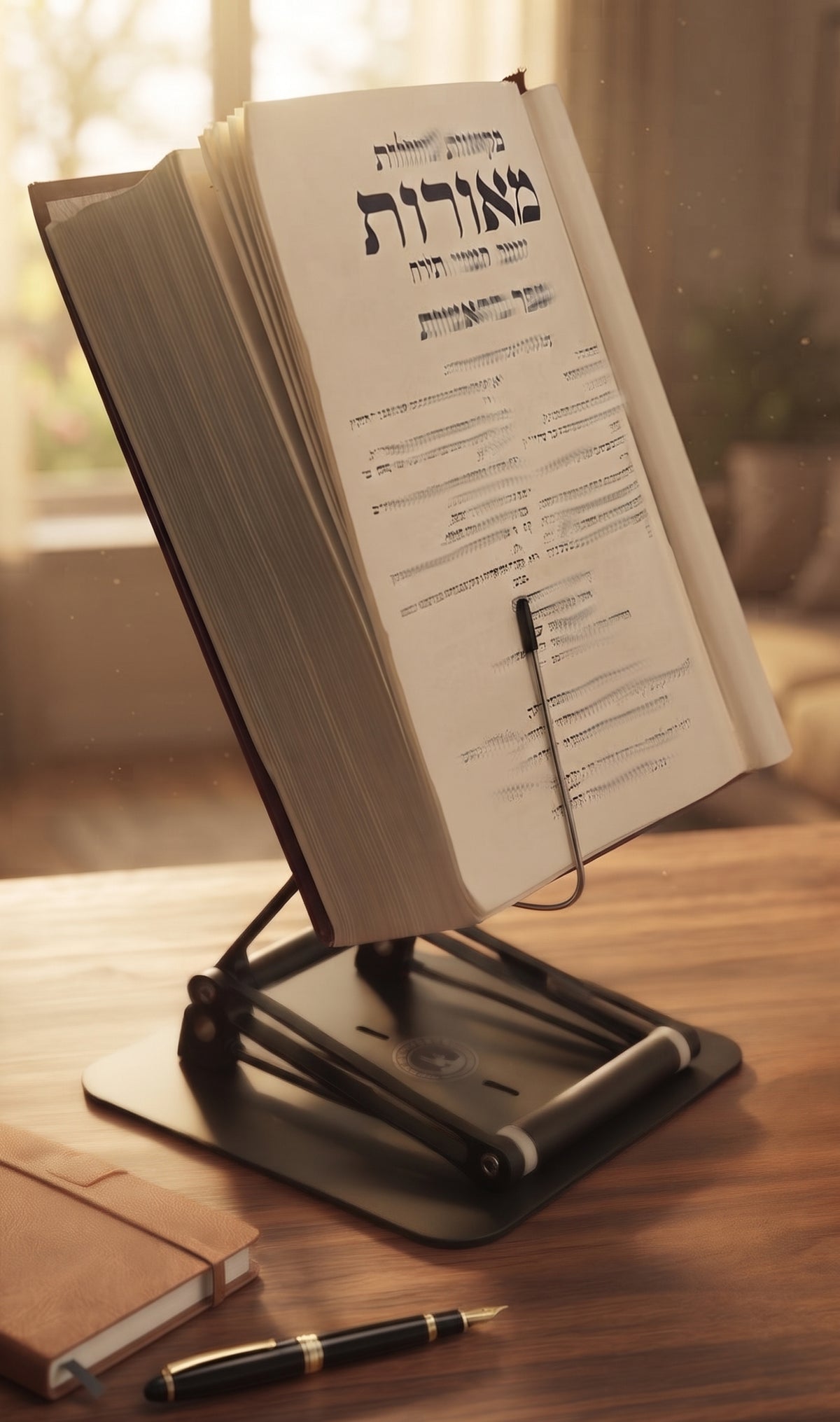
A reading setup can look tidy and still be punishing. If your book sits flat on the desk, your head drops forward, your shoulders round, and your neck ends up doing overtime for a task that is supposed to feel thoughtful, calm, and productive. That is the real issue behind how to create an ergonomic reading station: not aesthetics, but positioning your materials so your body can keep up with your mind.
For serious readers, students, researchers, and anyone who spends hours with texts, the difference is not minor. A poorly arranged station encourages cervical flexion, slumped posture, wrist compression, and frequent fidgeting. A well-built one keeps the material high enough to read comfortably, stable enough to trust, and flexible enough to support the kind of work you actually do, whether that is reviewing legal documents, studying Gemara, reading a heavy textbook, or working through a stack of printed papers with a laptop nearby.

The Stander by Dr. Shtaygen
An adjustable stand that raises your reading to eye level
Height- and angle-adjustable. 5052 aluminum alloy frame, 1.5 kg (3.3 lb), tested with heavy volumes up to 5 kg (11 lb). $95 + shipping, free 30-day returns.
See The StanderHow to create an ergonomic reading station that actually works
The first decision is height. Most reading discomfort starts because the material is too low. When a book or tablet sits on a desk, your eyes follow it down, and your head follows your eyes. Hold that position for an hour and your neck will file a complaint.
Your reading material should sit as close to eye level as practical. Not necessarily perfectly at eye level in every case, but high enough that you are looking slightly downward rather than sharply down. That small adjustment changes the whole chain above the shoulders. Your neck stays more neutral, your upper back is less likely to collapse, and your breathing tends to feel easier because your chest is not folded in on itself.
This is where many basic stands fail. They tilt, but they do not elevate enough. A low-angle stand can help a little, but if the material still lives just above the tabletop, you are solving half the problem. For long sessions, especially with large books or screens, elevation matters as much as tilt.
Stability is the second decision, and it is more important than many people realize. If the stand wobbles when you turn a page, slides when you rest your hand, or sags under the weight of a heavy volume, your body compensates. You lean in. You brace awkwardly. You tense your shoulders. A reading station is only ergonomic if it stays where you put it.
Start with the stand, not the accessories
People often begin with the chair, the lamp, or a desk organizer. Those matter, but the reading surface is the center of the station. If the book, notes, or tablet remains too low, the rest of the setup becomes a polite attempt to manage a bad angle.
A proper stand should do three things well. It should raise the reading material significantly, hold a comfortable viewing angle, and remain stable under real weight. That last point matters for serious work. There is a big difference between supporting a thin paperback for twenty minutes and supporting a dense textbook, reference volume, music folio, or religious text for three hours.
This is why a premium adjustable platform often changes the whole experience. A stand with meaningful height adjustment gives you more than comfort. It gives you options. You can set it for seated study, raise it for a countertop session, or adapt it to a moderate standing workflow when your back needs a break from the chair. That flexibility is not a luxury. For many people, it is the difference between enduring long reading sessions and sustaining them.
Build around neutral posture
Once your reading material is elevated, adjust the rest of the station to support a neutral position. Sit so your feet are grounded and your knees are roughly level with or slightly below your hips. Your elbows should rest comfortably by your sides, with your shoulders relaxed rather than shrugged. If you are taking notes, place the notebook close enough that you do not have to reach far forward every few minutes.
Your chair should support upright sitting, but not force a stiff, military pose. Good ergonomics is not about freezing yourself into perfect alignment. It is about making the better position the easier one to maintain. That means your back has support, your head does not have to jut forward, and your arms are not hovering in space like you are diffusing a bomb.
If you alternate between reading and typing, the setup gets more nuanced. A laptop can be raised for screen height, but then the keyboard may sit too high for extended typing unless you add an external keyboard. For pure reading, that is not a major issue. For blended study or desk work, it depends on how much typing you do and for how long. Many people need one setup for focused reading and a slightly different arrangement for production work.
Light the page without forcing your eyes
Lighting will not fix bad posture, but bad lighting can push you back into it. When the page is dim, readers tend to lean closer. When there is glare, they tilt the head or rotate the body to escape it. Neither is ideal.
Use light that is bright enough for easy reading without washing out the page or screen. Position the lamp so it illuminates the material from the side or above, depending on your dominant hand and the layout of your desk. For printed texts, direct but soft light usually works best. For tablets or laptops, watch for reflections that tempt you to lower the screen angle. If you are doing long sessions at night, gentler light can reduce visual fatigue, but not at the expense of legibility.
This is one of those it-depends areas. Older readers often need more light than they think. Glossy paper and glossy screens are less forgiving than matte surfaces. And if your station is used for both reading and video calls, the best lamp placement for the page may not be the best placement for the camera view.
Keep the work zone clean enough to think
An ergonomic reading station is not just about body mechanics. It is also about reducing friction. If your highlighter is on one side of the desk, your notes are stacked behind the stand, and your glasses keep disappearing under loose papers, your workflow becomes a series of small interruptions. That usually ends with more twisting, reaching, and irritation than anyone needs.
Keep only the active materials within immediate reach. The current text, one note-taking tool, water if you use it, and perhaps one secondary reference. Everything else can live nearby without living in your personal airspace. Serious reading requires concentration. Desk clutter is the visual equivalent of static.
This is one reason a raised stand often improves more than posture. By lifting the main text off the desk surface, it frees usable space underneath and around it. Suddenly the station feels less cramped, and that matters when you are working with multiple sources.
How to create an ergonomic reading station for long sessions
If you read for more than thirty minutes at a time, endurance matters more than first impressions. A setup that feels fine for a short article can become miserable by chapter three. Long-session ergonomics is about reducing cumulative strain.
Page-turning should be easy. The angle should not force your wrists into awkward positions. The stand should hold the material securely without making it hard to interact with the text. For heavy books, that means enough structural stability to support the load without drifting or bouncing. Flimsy stands are fine until they meet a serious book. Then they become desk decorations with ambition.
Height range matters here too. A stand that can elevate materials up to 17.8 inches above the tabletop creates a very different posture outcome than one that simply props them a few inches higher. That extra range allows a user to keep books, tablets, or a laptop much closer to eye level and even shift between seated and moderate standing use during the day. For readers who spend real hours at a desk, that is a meaningful ergonomic advantage, not a marketing flourish.
A heavy-duty adjustable stand like The Stander by Dr. Shtaygen is designed for exactly this kind of use case: serious study, stable support, and enough elevation to correct the angle that causes so much neck strain in the first place. That combination is unusually hard to find because many stands are built for casual tablet viewing, not sustained work with substantial materials.
Small adjustments that make a big difference
Even a strong setup needs tuning. If your chin still drops, raise the material. If your shoulders creep upward, lower your arm effort and bring your note-taking tools closer. If your lower back aches, your chair height or foot support may need attention. The body is honest. If something hurts consistently, the station is asking too much from the wrong area.
It also helps to vary posture across the day. The goal is not one perfect position held forever. The goal is a station that supports better positions and easier transitions. Sit for a while, stand for a while if your setup allows it, then reset. Good ergonomics respects the fact that humans are built to move, not to become furniture.
A well-designed reading station should feel almost uneventful. You stop noticing your neck. You stop inching closer to the page. You read longer with less effort and finish with more focus left in the tank. That is the standard worth aiming for. When your tools finally support the work instead of interrupting it, reading feels like reading again.
The Stander by Dr. Shtaygen
An adjustable stand that raises your reading to eye level
Height- and angle-adjustable. 5052 aluminum alloy frame, 1.5 kg (3.3 lb), tested with heavy volumes up to 5 kg (11 lb). $95 + shipping, free 30-day returns.
See The Stander