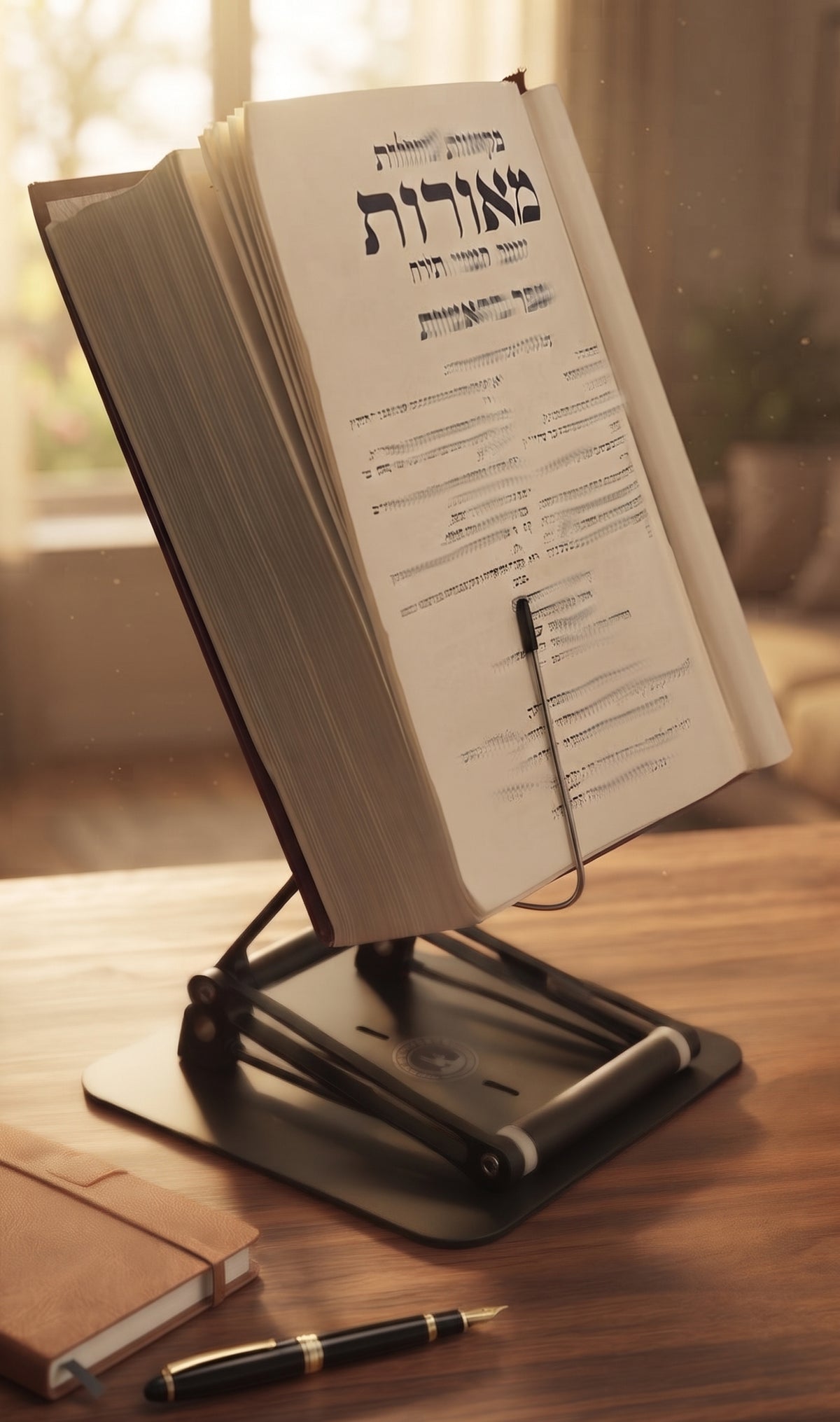
If your neck starts complaining halfway through a chapter, a work session, or a long stretch of laptop time, the problem is often not your discipline. It is your setup. Learning how to use a desk stand correctly is less about owning a nice accessory and more about putting your reading or work material where your body can actually tolerate it.
A desk stand can reduce the constant downward head tilt that drives so much neck and upper back strain. But that only happens when the stand is adjusted with intention. Too low, and you are still folding into the page. Too high, and you may end up lifting your chin and tensing your shoulders. The right setup puts the material in your visual zone while letting your spine stay relatively neutral.

The Stander by Dr. Shtaygen
An adjustable stand that raises your reading to eye level
Height- and angle-adjustable. 5052 aluminum alloy frame, 1.5 kg (3.3 lb), tested with heavy volumes up to 5 kg (11 lb). $95 + shipping, free 30-day returns.
See The StanderWhy most people use a desk stand wrong
The most common mistake is treating the stand like a storage prop instead of an ergonomic tool. People place it wherever it fits, angle it randomly, and then wonder why they still feel stiff after an hour. A desk stand is not magic. It is leverage. Used properly, it changes the relationship between your eyes, your hands, and your spine.
The second mistake is assuming one position works for everything. A heavy textbook, a tablet, a legal pad, and a laptop do not ask the same thing of your posture. Reading from a page usually benefits from a steeper angle than typing on a keyboard. Reference work may call for frequent glances and page turning. Focused study may require the material to sit higher and more centered. It depends on what you are doing and for how long.
How to use a desk stand correctly for posture
Start with height. The top third of what you are viewing should land around eye level or slightly below. That guideline works well for books, tablets, and screens because it reduces the need to bend your neck forward. If you are reading a tall text, you may find that the support lip sits well below eye level while the actual page content sits right where it should. That is exactly how a high-adjusting stand earns its keep.
Next, set the angle so you can see the material clearly without hunching or craning. For books and documents, a moderate to steep angle often works best because it brings the text toward you. For tablets, glare may force a few small adjustments. For laptops, the ideal viewing height can conflict with keyboard use, because if the screen is high enough, the attached keyboard is usually too high for comfortable typing. That is not a flaw in the stand. It is the physics of laptop ergonomics.
Then check your body, not just the object. Sit or stand naturally, let your shoulders relax, and notice what your head wants to do after a minute or two. If you instinctively lean in, the stand is probably too low or too far away. If you feel your chin lifting, it may be too high. Small changes matter. Half an inch can be the difference between support and strain.
The right distance matters more than people think
A desk stand should not be parked at the back edge of the desk like a museum display. If your material is too far away, your head and torso will slowly drift forward to meet it. Bring the stand close enough that you can read or work comfortably while keeping your elbows relaxed and your back supported.
For reading, many people do best with the stand centered in front of them rather than off to one side. That keeps rotation out of the neck and torso. If you are using the stand as a secondary reference surface while writing or working on another screen, a slight side placement can make sense, but only if the item is something you consult occasionally rather than stare at for long stretches.
How to use a desk stand correctly with books, tablets, and laptops
Books are usually the most straightforward use case. Raise them high enough to reduce neck flexion, angle them so the page is easy to scan, and keep the stand stable enough to handle page turns without wobble. This matters even more with large textbooks, religious volumes, cookbooks, and hardcovers that quickly expose the weakness of flimsy stands.
Tablets are similar, but glare becomes part of the equation. The best angle is not always the steepest one. You want a position that keeps your neck neutral without turning the screen into a mirror. If you touch the screen often, stability is non-negotiable. A light stand that dances every time you tap is not helping your focus.
Laptops require a more careful setup. If you are using a laptop only for viewing, such as during a video call, a presentation, or reference reading, raising it on a stand is a major improvement. If you are typing for extended periods, pair the raised laptop with an external keyboard and mouse. Otherwise, you often trade neck strain for shoulder and wrist strain. That is not a good bargain.
Sitting vs. standing
A good stand should support both seated and moderate standing work, but those are different positions, not just different moods. When seated, you want your feet supported, your shoulders relaxed, and your material elevated enough to avoid the familiar downward collapse. When standing, the stand usually needs to go higher than people expect because your line of sight changes and your tendency to lean increases.
This is where range matters. Many stands claim adjustability but top out just when they become useful. A stand with serious elevation gives you room to set books, tablets, or screens where your eyes need them rather than where the hardware gives up.
Stability is an ergonomic feature
People often think of stability as a build quality issue. It is also a posture issue. If the stand wobbles, slips, sags, or shifts under weight, your body adapts around that instability. You brace, hover, lean in, and make micro-corrections all session long.
That is why heavy-duty construction matters, especially for serious readers and scholars using dense textbooks, large hardcovers, or substantial study volumes. A stable platform with strong joints is not overbuilt. It is appropriate. Serious work deserves equipment that does not flinch.
Small adjustments that make a big difference
If you wear progressive lenses or reading glasses, your ideal height may differ from the standard advice. Set the stand so you can see clearly through the right part of the lens without tipping your head back. If you annotate heavily, lower the material slightly or adjust the angle so your hand can move naturally. If you alternate between reading and writing, you may want two positions rather than one compromise position that serves neither task well.
Lighting also matters. A desk stand can improve posture and still leave you squinting if the page is dim or the screen is washed out. Position the stand so you are not fighting glare, shadows, or overhead reflections. Ergonomics is not a single setting. It is a system.
When your setup still feels off
If you have adjusted the stand and still feel strain, step back and assess the whole workstation. Your chair height, desk height, keyboard placement, and screen arrangement may be forcing bad mechanics upstream. The stand can correct the viewing angle, but it cannot fully rescue a workstation that makes your arms, shoulders, or lower back work against you.
It is also worth asking how long you stay in one position. Even an excellent setup is not a license to become furniture. Change posture, stand up periodically, and reset your shoulders and eyes. The goal is less strain, not perfect stillness.
For people who spend long hours studying, reading, or working, a well-designed stand becomes more than a convenience. It becomes a way to preserve attention. When your neck is not nagging you every twenty minutes, it is easier to think deeply, read longer, and stay present with the material. That is why a serious product such as The Stander by Dr. Shtaygen exists in the first place - not to decorate a desk, but to support the kind of work that deserves better than a stack of books and a prayer.
Use the stand so your eyes come to the work without your spine making a sacrifice, and you will feel the difference where it counts most - in the second hour, not just the first.
The Stander by Dr. Shtaygen
An adjustable stand that raises your reading to eye level
Height- and angle-adjustable. 5052 aluminum alloy frame, 1.5 kg (3.3 lb), tested with heavy volumes up to 5 kg (11 lb). $95 + shipping, free 30-day returns.
See The Stander