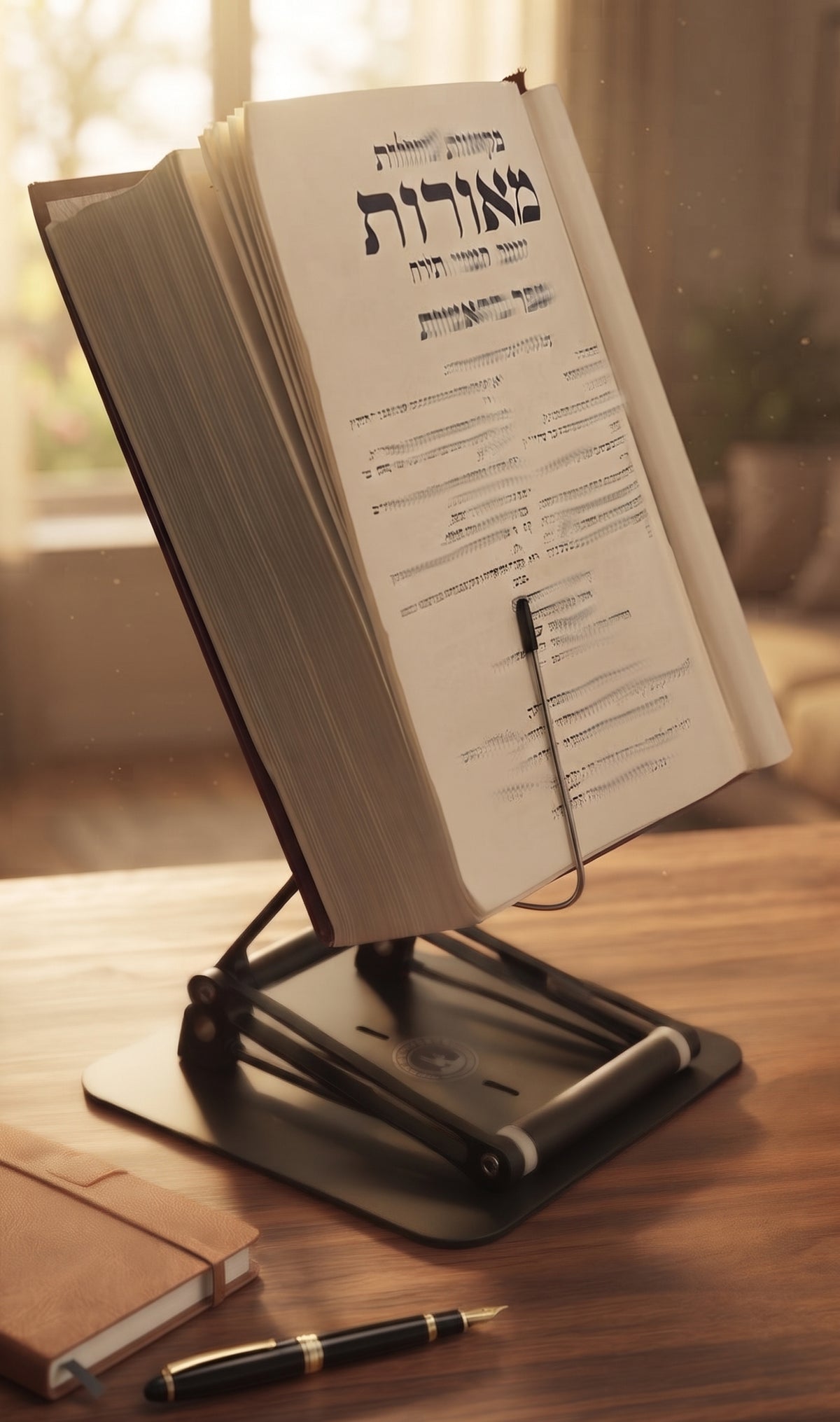
A researcher can lose an hour without noticing it - not to hard thinking, but to small physical irritations. A neck craned toward a laptop. A textbook lying flat like it is hiding from your spine. Notes spread across the desk until your workflow starts to look like an archaeological dig. The best desk setup for researchers is not about aesthetics first. It is about protecting attention by reducing friction.
Research work is unusually demanding on the body because it mixes reading, writing, typing, comparing sources, and long periods of stillness. That combination creates a predictable problem: the material you need is usually below eye level, while the work itself requires sustained concentration. If your setup forces your head and shoulders forward for hours, discomfort is not a side issue. It becomes part of the work.

The Stander by Dr. Shtaygen
An adjustable stand for heavy textbooks and long reading
Height- and angle-adjustable. 5052 aluminum alloy frame, 1.5 kg (3.3 lb), tested with heavy volumes up to 5 kg (11 lb). $95 + shipping, free 30-day returns.
See The StanderWhat the best desk setup for researchers actually solves
Most people think desk setup is about storage or gadget selection. For researchers, the real issue is positional mismatch. Your books, articles, laptop, tablet, and handwritten notes all compete for the same small area, and most desks are flat surfaces pretending to be intelligent systems.
A strong setup solves three things at once. It puts primary reading material near eye level. It keeps input devices at a height your shoulders can tolerate. And it preserves enough open space for active thinking, which usually means note-taking, cross-referencing, or marking up a text without feeling boxed in.
This is where trade-offs matter. A minimalist desk may look clean but fail when you need three source types open at once. A wide desk helps, but width alone does not fix posture. A laptop riser improves screen height, but if it cannot support books, binders, or a heavy reference volume, it only solves part of the problem.
Start with elevation, not accessories
If you read more than you type, your main ergonomic tool should not be your chair. It should be the platform that raises your source material. This is the mistake many researchers make. They spend heavily on a chair, keep reading from a flat desk, and then wonder why their upper back still feels like it is filing a complaint.
A raised reading surface changes the entire geometry of study. When a book, tablet, or laptop sits closer to eye level, cervical flexion decreases. That means less forward head posture, less strain through the neck and upper trapezius, and a better chance of maintaining focus over long sessions. The effect is even more noticeable when switching between reading and typing, since your eyes travel a shorter distance and your posture does not collapse every time you consult a source.
The best versions of this tool are stable, height-adjustable, and strong enough for real academic use. That last point matters more than marketing usually admits. Many stands are fine for a lightweight tablet and completely out of their depth once a legal text, medical reference, or large-format volume enters the scene. Researchers need equipment that behaves like equipment, not like a polite suggestion.
The core layout for a research desk
The ideal arrangement depends on whether your work is reading-heavy, writing-heavy, or data-heavy, but the structure is consistent. Put the primary source in the center at elevated height. Keep the keyboard and mouse lower, so your elbows can stay relatively relaxed. Place secondary materials to the left or right based on handedness and how often you need to reference them.
If you work from a laptop, raise the laptop only if you are using an external keyboard and mouse. Otherwise, you create one fix and one new problem. Your screen improves, but your wrists and shoulders pay for it. A proper setup separates screen height from typing height.
For scholars who move between printed texts and digital files, a height-adjustable stand is especially useful because it lets one station do multiple jobs. You can review a printed journal article in the morning, use it as a laptop riser for database work in the afternoon, and prop up a heavy text for close reading in the evening. That versatility matters in real life, where the desk has to serve the task rather than enforce a single mode.
The overlooked hero: a serious book and laptop stand
This is the category that deserves more respect. A researcher often spends more time reading than typing, yet many desks are built around the keyboard as if every job were email. For academic work, legal review, archival analysis, language study, and religious learning, the central object is often the text itself.
A premium adjustable stand can function as a modern shtender for serious study while also handling laptops and tablets. That is not a niche use case. It is a practical answer to a common problem: how to keep demanding material visible, stable, and physically sustainable. When a stand can elevate materials significantly above the desk, it supports both seated work and moderate standing use. That opens up longer sessions with less static loading on the body.
One well-built example is The Stander by Dr. Shtaygen, which raises books, laptops, and tablets up to 17.8 inches above the tabletop. For researchers, that extra elevation is not a gimmick. It is what makes the difference between merely angling a page and actually bringing it into a healthier visual field. Add durable metal construction and joints that do not wobble under heavy books, and the stand stops being an accessory and starts becoming part of the workstation.
Lighting, chair height, and the things that quietly ruin concentration
Bad lighting creates fake fatigue. You think your brain is done, but your eyes are doing emergency work because the page is dim or your screen is fighting glare. Researchers should use bright, even task lighting that illuminates the reading surface without reflecting directly back into the eyes. If you work with glossy pages or archival sleeves, angle matters as much as brightness.
Chair height should support neutral arm positioning, but the chair is not the throne people imagine. Expensive does not automatically mean better. If the seat forces your feet to dangle, or if the armrests block you from getting close enough to the desk, the chair is working against you. Adjust the chair to the desk and keyboard position, then use your reading platform to bring the source material upward. That order makes more sense than trying to solve everything from below.
A footrest can help shorter users maintain support without raising the chair so high that the desk becomes awkward. Taller users may have the opposite problem and need more desk clearance or a higher work surface. Ergonomics is not one-size-fits-all, which is why adjustability usually beats clever design.
Clutter is not just visual. It is cognitive.
Researchers need active access, not decorative tidiness. There is a difference. You do not need an empty desk. You need a desk where the current project is obvious and the next reference is easy to reach.
Keep only the materials for the present session within immediate range. Everything else should have a home nearby but off the main surface. This reduces micro-distractions and prevents the common habit of stacking urgent materials under less urgent ones until both disappear. If your workflow relies on printed articles, use one vertical organizer or one horizontal tray system. If it relies on notebooks and loose notes, give each project a defined zone. Chaos may look scholarly, but it is not always productive. Sometimes it is just bad furniture management wearing glasses.
Standing desks: useful, but not magic
A standing desk can improve comfort for some researchers, especially those who spend long hours in review mode. But standing all day is not superior to sitting all day. The goal is variation, not virtue.
This is where elevated reading support becomes even more valuable. If your stand can raise materials high enough, switching between seated work and moderate standing sessions becomes practical without rebuilding the entire desk each time. That flexibility is often more realistic than expecting perfect posture for eight straight hours. Real desks should support movement, not demand sainthood.
The best desk setup for researchers depends on the work itself
A doctoral student working through journal literature needs something different from a legal researcher comparing casebooks, and both differ from a religious scholar spending hours with large-format texts. Even so, the pattern holds: elevate the primary material, separate viewing height from typing height, control lighting, and protect open space for active thought.
If your current setup leaves you rubbing your neck, hunching over a flat text, or constantly rearranging objects just to begin working, that is not a discipline problem. It is a design problem. Good research is demanding enough on its own. Your desk should act like a serious tool, not another obstacle.
The smartest setup is the one that lets your body stay quieter in the background while your mind does the hard part.
The Stander by Dr. Shtaygen
An adjustable stand for heavy textbooks and long reading
Height- and angle-adjustable. 5052 aluminum alloy frame, 1.5 kg (3.3 lb), tested with heavy volumes up to 5 kg (11 lb). $95 + shipping, free 30-day returns.
See The Stander