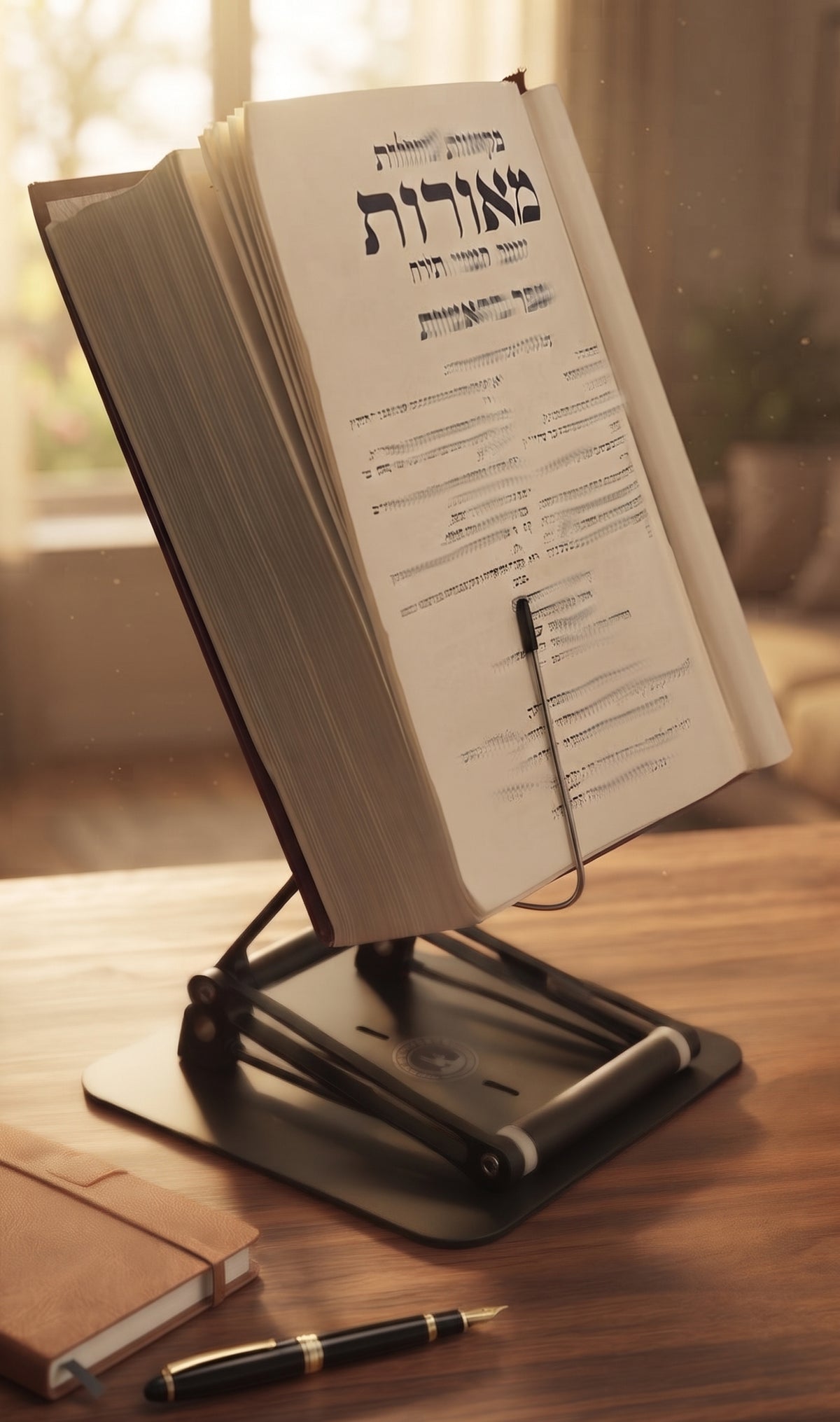
A chapter is supposed to make you think, not make you rub the base of your skull. If you have asked, “why does reading hurt my neck,” the usual answer is not that reading itself is harmful. It is that books, tablets, and laptops tend to sit far below eye level, quietly recruiting your neck to hold a forward-bent position for far too long.
The problem is especially common among students, researchers, professionals, and serious learners. A few minutes of looking down may feel harmless. Two hours with a textbook on a desk, a siddur on a table, or a tablet in your lap is a different workload entirely. Your attention stays on the material while your cervical spine absorbs the cost.

The Stander by Dr. Shtaygen
An adjustable stand that raises your reading to eye level
Height- and angle-adjustable. 5052 aluminum alloy frame, 1.5 kg (3.3 lb), tested with heavy volumes up to 5 kg (11 lb). $95 + shipping, free 30-day returns.
See The StanderWhy Does Reading Hurt My Neck?
Your head is not light. In a neutral position, its weight is balanced over the spine. As your chin drops toward a page, the muscles at the back of the neck and upper shoulders must work harder to keep the head from continuing forward. The farther forward and down you look, the more sustained effort those tissues require.
This is why neck pain from reading often arrives gradually. You may first notice tightness across the upper trapezius muscles, a burning sensation between the shoulder blades, or a stiff neck when you look up from the page. Later, headaches, jaw tension, and reduced ability to turn your head can join the picture. The issue is usually less about one bad posture and more about accumulated time in a compromised one.
Reading also encourages stillness. When the material is absorbing, people do not shift positions as often as they think. A student preparing for an exam may sit with rounded shoulders for 90 minutes. A scholar working through a dense text may lean closer as concentration increases. The body does not care that the cause is intellectual ambition. It still registers a prolonged, loaded position.
The Setup Is Usually the Real Culprit
A low book, screen, or document forces the reader to bring their head to the material. A better workstation brings the material closer to the reader. That single distinction changes the mechanics of reading.
Book height matters most. Ideally, the top portion of your reading material should be near eye level or slightly below it, so your eyes can travel down the page without your whole head collapsing forward. The exact height depends on your chair, desk, torso length, vision, and whether you are seated or standing. There is no universal magic number. But if you must noticeably bend your neck to see the upper half of a page, the material is too low.
Distance matters, too. When a book is too far away, many people crane forward to read smaller print. When it is too close, they may curl over it. A comfortable reading distance lets you see the text without squinting, reaching, or leading with your chin. Good lighting helps here. Dim light does not directly damage your neck, but it can make you lean closer and hold that position longer.
Your chair and desk can either support the setup or sabotage it. Sit with your feet supported, your lower back reasonably supported, and your shoulders relaxed rather than lifted. Keep elbows close to your sides when taking notes. If the desk is too high, your shoulders may rise. If it is too low, you may slump. Ergonomics is not a pose you freeze into. It is a working arrangement that makes a neutral posture easier to return to.
Reading in Bed and on the Couch
The softest places are often the toughest on the neck. Reading in bed commonly means propping the head on pillows while the book rests in the lap or chest. The neck flexes, the shoulders round, and the arms fatigue from holding the material. On the couch, the same pattern appears, often with a twist through the lower back.
There is nothing wrong with leisure reading in a comfortable chair. The trade-off is duration. Twenty relaxed minutes may be fine; a long Sunday afternoon with your chin parked near your sternum is likely to produce stiffness. If you read there often, support the material rather than asking your arms and neck to become a makeshift stand.
Small Habits That Reduce Reading Neck Strain
Start by raising the page or screen. A stable, adjustable book or device stand is often the most direct fix because it changes the position of the material without requiring you to hunch over a stack of improvised objects. For readers who move between textbooks, laptops, tablets, cookbooks, or substantial religious volumes, adjustability and stability are not luxuries. A stand that wobbles under a heavy book simply creates a new distraction.
The Stander by Dr. Shtaygen is designed for that serious-work use case, elevating the supporting lip up to 17.8 inches above the tabletop so books and screens can be positioned for seated work or moderate standing. Its heavy-duty 5052 aluminum alloy construction and friction joints are meant to hold more than a lightweight tablet. That matters when the material in front of you is a dense law text, a large textbook, or a volume that deserves better than balancing on a tissue box.
Next, make movement part of the reading process rather than an interruption to it. Every 20 to 30 minutes, look away from the page, gently change position, and let your shoulders drop. You do not need an elaborate exercise routine at your desk. Stand, walk for a minute, roll the shoulders, or perform a few comfortable neck movements without forcing the range. The goal is to interrupt static loading before it becomes a complaint.
Also consider how you annotate. If you are constantly looking down to write notes and then looking back up to read, some motion is unavoidable. Position your notebook close to the reading material, use a document holder when possible, or alternate between short reading and writing blocks. For laptop study, an external keyboard can be useful when the screen is raised. A laptop at eye height is excellent for your neck, but not if reaching up to type leaves your wrists and shoulders unhappy.
When It Is More Than Ordinary Posture Fatigue
Most reading-related neck discomfort improves when you change the setup, take breaks, and avoid marathon sessions in a bent position. But posture is not the only possible cause of neck pain. Arthritis, disc issues, nerve irritation, prior injuries, stress-related muscle tension, and vision changes can all contribute.
Pay attention to symptoms that do not behave like ordinary stiffness. Pain that shoots into the arm, numbness or tingling in the hand, weakness, severe headache, dizziness, fever, pain after an accident, or symptoms that persist despite sensible changes deserve medical evaluation. The same is true if you find yourself avoiding normal activity because of pain. An ergonomic adjustment is a practical first step, not a substitute for diagnosis when warning signs are present.
If reading has become uncomfortable, resist the temptation to blame your concentration, your age, or the book itself. Look at the geometry first. Where is the page? Where is your head? How long have you been still? A properly raised, stable reading surface gives your neck a fairer job: supporting your head, not chasing your work.
The Stander by Dr. Shtaygen
An adjustable stand that raises your reading to eye level
Height- and angle-adjustable. 5052 aluminum alloy frame, 1.5 kg (3.3 lb), tested with heavy volumes up to 5 kg (11 lb). $95 + shipping, free 30-day returns.
See The Stander