You know the feeling. Your eyes are still on the page, but your brain checked out 20 minutes ago. Your neck starts bargaining with you, your shoulders creep upward, and suddenly even one more paragraph feels rude. If you are looking for practical ways to reduce study fatigue, the answer is usually not more discipline. It is better mechanics.
Study fatigue is not just mental. It is physical, visual, and environmental. Long reading sessions, laptop work, dense textbooks, and poor desk posture all pull from the same energy budget. When your body is working too hard to hold your head up, your attention has less to spend on actual learning. That is why the most effective fixes are often boring in the best possible way - position, lighting, movement, hydration, and pacing.

The Stander by Dr. Shtaygen
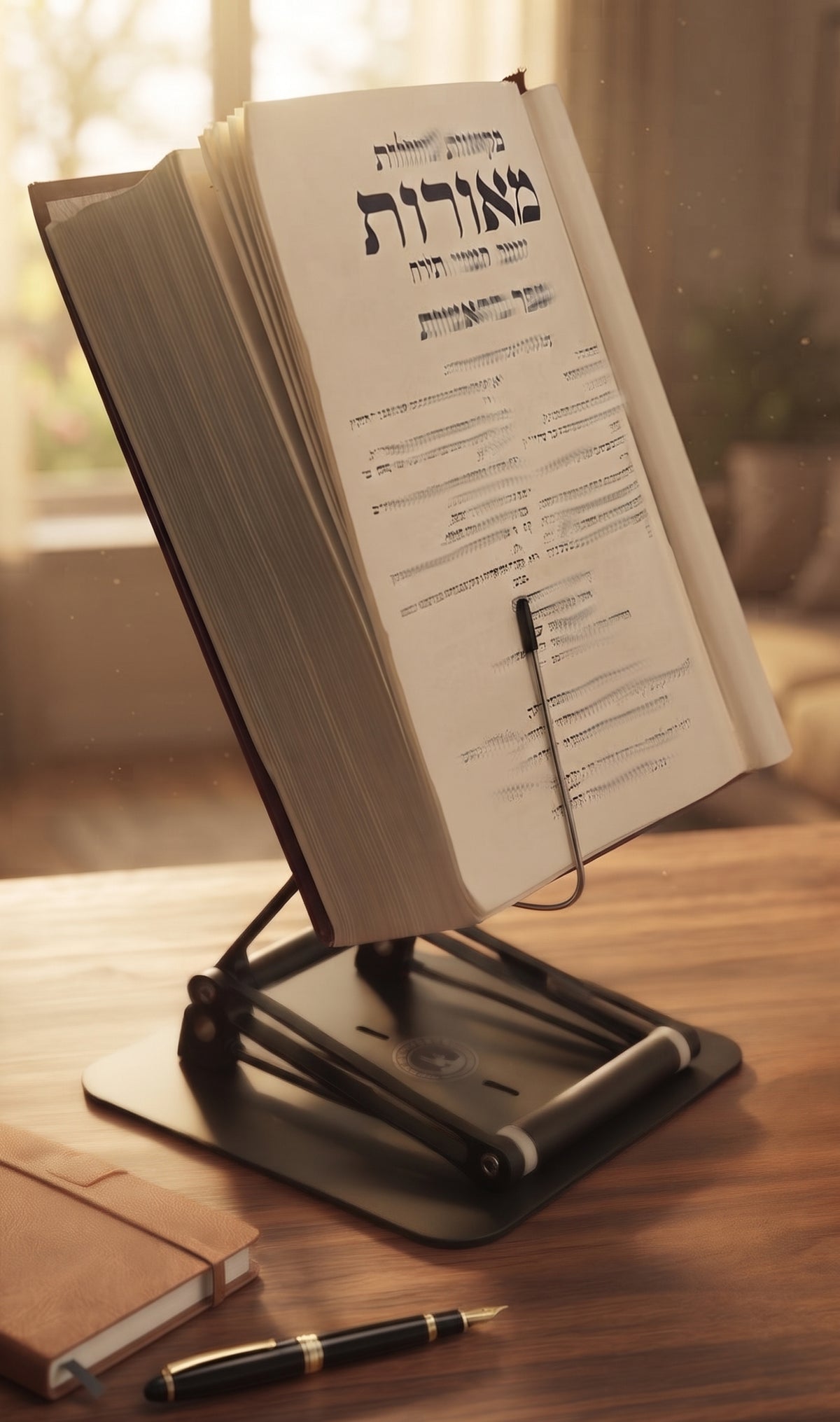
An adjustable stand for heavy textbooks and long reading
Height- and angle-adjustable. 5052 aluminum alloy frame, 1.5 kg (3.3 lb), tested with heavy volumes up to 5 kg (11 lb). $95 + shipping, free 30-day returns.
See The StanderWhy study fatigue builds faster than you expect
Most people blame fatigue on workload alone. Workload matters, but posture and setup matter more than many students realize. Reading from a flat desk forces repeated neck flexion. Studying from a laptop that sits too low encourages a rounded upper back. Add long periods without movement, and the body starts sending a very clear message.
That message can show up as heavy eyes, dull headaches, fidgeting, slow recall, and the strange experience of reading the same sentence four times. None of this means you are lazy or incapable. It means your system is inefficient.
There is also a trade-off here. Some fatigue is normal when the material is difficult. Deep study should feel effortful. But there is a difference between cognitive effort and preventable strain. The goal is not to make studying effortless. The goal is to remove the unnecessary drag.
1. Raise your reading material to eye level
This is one of the most overlooked ways to reduce study fatigue because it feels too simple. But eye-level reading changes the entire chain of posture. When your book, tablet, or laptop is elevated, you reduce neck flexion, ease strain through the upper back, and make it easier to breathe normally while you work.
That matters more than people think. A head that tips forward for long stretches is not a small issue. It increases muscular demand through the neck and shoulders, which quietly drains energy over time. You may call it tiredness, but part of what you are feeling is physical compensation.
A stable adjustable stand helps here because it keeps heavy textbooks and screens high enough to support upright posture, not just slightly less bad posture. Flimsy stands tend to wobble, slip, or max out at low heights, which defeats the point for serious study sessions.
2. Stop using marathon sessions as a badge of honor
Long sessions feel productive because they look serious. Sometimes they are necessary. But after a certain point, output drops while discomfort climbs. Four exhausted hours are often worse than two focused hours with planned resets.
Try working in blocks that match the type of task. Dense reading may need shorter intervals than review or outlining. Many people do well with 25 to 50 minutes of concentration followed by a real break of 5 to 10 minutes. Real means standing up, changing focal distance, and moving your body. It does not mean scrolling your phone while still folded over your desk like a paperclip.
There is no perfect interval for everyone. If you are doing technical problem-solving, you may want longer uninterrupted periods. If you are memorizing or reading legal, medical, or religious texts closely, shorter rounds can preserve accuracy. The point is to break before the crash, not after it.
3. Build movement into the session, not after it
If your plan is to sit still for three hours and then stretch once, your body will file a formal complaint. Small movement breaks during study work better than heroic corrective routines later.
Every break should include one or two simple actions: stand, walk, roll your shoulders, and shift your gaze across the room or out a window. If your setup allows moderate standing work, even better. Alternating between seated and standing study can reduce the static load that makes you feel stale and compressed.
This is where desk ergonomics become practical, not theoretical. A stand that raises material significantly above the desk can support both seated and standing workflows in a compact footprint. That flexibility matters when you need to change position without rebuilding your whole station.
4. Reduce visual strain before your eyes mutiny
A surprising amount of study fatigue starts in the eyes. Poor lighting, screen glare, tiny text, and constant near-focus can make your brain feel tired long before your brain is the real problem.
Start with lighting. You want enough light to read comfortably without harsh reflections. If you study from screens, lower glare and increase text size before you start. Printed texts should be well lit from the side or front, not from a bright source behind you that creates shadows.
Then give your eyes distance. Looking up and away every so often helps reset the constant near-focus that reading demands. It sounds minor until you skip it for hours and end up wondering why your concentration dissolved.
5. Eat and drink like someone with a nervous system
Skipping water and calling coffee a strategy is common, but it is not elegant. Mild dehydration can worsen headaches, concentration problems, and perceived fatigue. Heavy meals can make you sleepy, while too little food can make you foggy and irritable.
You do not need a laboratory protocol. Just avoid extremes. Keep water nearby. Eat something steady before long sessions. If caffeine helps, use it early enough that it does not sabotage sleep later. The trade-off is obvious - short-term alertness is not worth next-day exhaustion.
6. Match the task to your best energy window
Not every hour is equally useful. Some people read difficult material best in the morning. Others hit their stride later. If you consistently put your hardest subject in your worst energy window, fatigue will arrive early and feel personal.
Try assigning high-friction work to the part of the day when you are most mentally stable, not just most available. Save admin tasks, formatting, and light review for lower-energy periods. This is not about becoming a machine. It is about using your clearer hours for work that deserves them.
7. Clean up your study surface
A cluttered desk is not just aesthetically annoying. It increases friction. You spend more time reaching, shifting piles, adjusting angles, and mentally filtering visual noise. That low-grade effort adds up.
A good study surface supports the work in front of you and gets out of the way. Keep only the active materials within immediate reach. If you use a textbook, notebook, and laptop together, position them so you are not constantly twisting or dropping your head between levels.
This is one reason serious readers and professionals benefit from tools designed for load-bearing use rather than casual tablet viewing. If your setup cannot reliably support a heavy book at a readable height, the study session becomes a posture contest. Nobody wins those.
8. Make your notes less exhausting to use
Sometimes fatigue comes from the material format itself. Tiny handwriting, crowded pages, poor contrast, and disorganized notes increase cognitive load. You are not just learning the content. You are decoding your own system.
Improve legibility. Use spacing. Break concepts into sections. If you annotate heavily, leave room for your future self to understand what you meant. The cleaner your notes are, the less energy you waste reorienting every time you return.
There is an important distinction here. Beautiful notes are not the goal. Useful notes are. If elaborate formatting turns into procrastination with stationery, simplify.
9. Treat discomfort as feedback, not background noise
A lot of dedicated students normalize pain because the work matters. Fair enough. Serious study has always required discipline. But discipline is not the same thing as tolerating preventable strain.
If you regularly finish sessions with neck tightness, shoulder pain, numbness, or headaches, your setup deserves scrutiny. The old-school shtender existed for a reason: raised texts support sustained reading better than flat surfaces. Modern ergonomic equipment simply extends that principle for books, laptops, tablets, and long desk hours.
A premium adjustable platform like The Stander by Dr. Shtaygen is not magic, and it does not replace sleep, movement, or pacing. What it does do is remove a major source of mechanical stress by bringing your work up where your eyes already are. For people studying from heavy textbooks, sacred texts, research materials, or hybrid book-and-screen setups, that is not a luxury feature. It is a performance feature.
The best ways to reduce study fatigue work together
No single trick fixes every case of study fatigue. If you are severely sleep-deprived, no desk setup will save the day. If your posture is collapsing for three hours at a time, hydration alone will not rescue focus. The best results come from stacking small improvements that reduce total strain.
Raise the material. Break before burnout. Move often. Protect your eyes. Keep your station clean. Respect your energy patterns. None of this is glamorous, which is probably why it works.
If studying is central to your work, your learning, or your religious practice, treat your environment with the same seriousness you bring to the material. Better posture and better support do not make you soft. They let you stay with the text longer, think more clearly, and finish the session with enough left in the tank to come back tomorrow.
The Stander by Dr. Shtaygen
An adjustable stand for heavy textbooks and long reading
Height- and angle-adjustable. 5052 aluminum alloy frame, 1.5 kg (3.3 lb), tested with heavy volumes up to 5 kg (11 lb). $95 + shipping, free 30-day returns.
See The Stander