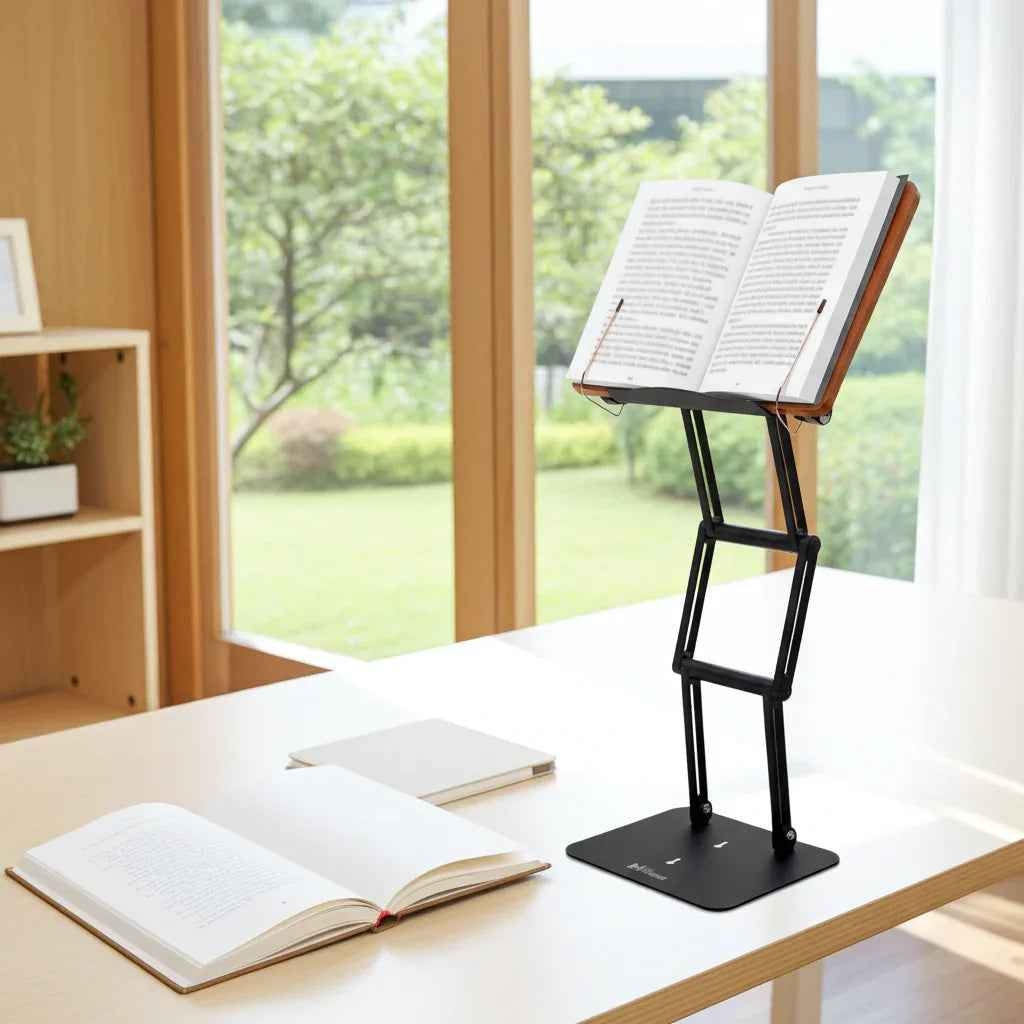
The problem shows up fast: your laptop sits too low, your textbook lies flat, and within an hour your neck is flexed forward, your shoulders are rounded, and your focus is fading. The best setups for laptop and textbook use solve that mechanical problem first. A good setup does more than tidy a desk. It lifts your reading and working surface into a healthier visual range, reduces cervical strain, and makes long sessions more sustainable.
For students, researchers, professionals, and serious readers, this is not a minor comfort issue. It is a performance issue. If you switch constantly between a screen and a heavy text, the wrong setup creates friction every few minutes. You keep looking down, repositioning materials, and compensating with posture. Over time, that repeated strain adds up.
What the best setups for laptop and textbook use actually need
Most people start by asking what to buy. The better question is what the setup must do. If you use both a laptop and a textbook, your workstation has to support two different visual tasks without forcing your spine into a compromise position.
That means elevation matters. Your material should come closer to eye level rather than pulling your head down toward the desk. Stability matters just as much. A stand that wobbles under a large textbook or shifts while typing becomes a distraction, not an ergonomic upgrade. Adjustability matters too, because a setup that works for a 13-inch laptop may fail completely with a thick chemistry text, legal volume, or religious text.
There is also a workflow issue. Some people need to read from a book while typing on a separate keyboard. Others alternate between laptop work and page-by-page reading. The best setup depends on which task dominates your day.
Setup 1: The most effective arrangement for mixed laptop and textbook work
If you spend serious time on both, the strongest option is simple: elevate one primary surface to eye level and keep your input tools lower. In practice, that means placing the laptop or textbook on a stable adjustable stand, then using an external keyboard and mouse when the laptop is elevated.
This arrangement works because it respects body mechanics. Your eyes stay forward instead of downward, your chin stays more neutral, and your upper back does not have to collapse to bring your face closer to the material. When the stand is sturdy enough, you can also swap between a textbook and a laptop without rebuilding the entire desk each time.
For most users, this is the best long-session setup. It supports reading, note-taking, writing, and reference work with less posture breakdown. It also keeps the desk visually organized, which has a real effect on concentration.
The trade-off is desk depth. If you use an elevated stand plus an external keyboard, you need enough surface area to maintain comfortable arm position. On a very shallow desk, the setup can feel crowded.
Who this setup suits best
This is ideal for graduate students, office professionals, legal researchers, clinicians, and anyone doing sustained knowledge work. It is especially effective if you move between source material and digital writing throughout the day.
It also suits users working with heavier books. A lightweight tablet stand may handle a paperback, but it often fails once you place a dense textbook on it. Serious work requires serious support.
Setup 2: Side-by-side for active reference work
Some people need the laptop open while a textbook stays visible at the same time. In that case, a side-by-side arrangement can work well. Place the laptop directly in front of you if it is your main task, and position the textbook on a raised stand slightly to the left or right, depending on handedness and note-taking habits.
This reduces constant desk-level glancing and keeps reference material accessible. It is useful for coding from a printed text, reviewing casebooks, working through problem sets, or comparing source passages during writing.
The weakness of this setup is rotation. If the side material sits too far off-center, you may trade neck flexion for repeated neck twisting. The fix is not complicated: keep the secondary material close, elevated, and angled toward your line of sight.
Setup 3: Textbook-first for deep reading and annotation
Not every session should be built around the laptop. If your primary task is reading, studying, or close annotation, the best setup may place the textbook at the center and push the laptop into a supporting role.
This is where many desks fail. A heavy book lying flat encourages hunching almost immediately. A raised reading platform changes the posture equation by bringing the text upward and creating a more sustainable reading angle. For scholars, students in dense reading disciplines, and religious learners using large sacred texts, this can make the difference between a short session and a productive one.
A textbook-first arrangement works especially well when paired with handwritten notes or occasional laptop use off to the side. It creates a clear focal point for sustained attention. The older concept of the shtender endured for a reason: elevating the text supports both dignity of study and physical endurance.
Why cheap stands usually fail
A common mistake is treating all stands as interchangeable. They are not. Commodity stands are often designed for light tablets, casual video viewing, or occasional kitchen use. Once real academic or professional loads enter the picture, their limits show up quickly.
The usual failure points are wobble, weak joints, low maximum elevation, and poor support for page-heavy books. If the platform cannot hold position under weight, the user compensates physically. You lean in, brace the book, or keep adjusting the angle. That defeats the ergonomic purpose.
Premium construction is not about appearance alone. Material quality, joint strength, and structural rigidity directly affect posture support. An aluminum frame with stainless steel joints behaves differently from a flimsy folding stand when asked to support a laptop one hour and a large textbook the next.
The role of keyboard and screen positioning
If your laptop is elevated, your hands should not stay on the laptop keyboard for long periods. That position forces the shoulders upward and the wrists into a less natural working angle. An external keyboard and mouse solve this by separating screen height from hand position.
This is one of the clearest ergonomic upgrades available. It lets you place the display where your eyes need it and your hands where your arms need them. If you are serious about reducing strain, this is not an accessory issue. It is part of the setup.
For textbook use, the same principle applies in a different way. The page should rise to meet your gaze. You should not have to collapse your neck to meet the page.
Best setups for laptop and textbook use in small spaces
A smaller desk does not eliminate the possibility of a strong ergonomic setup, but it does require discipline. The first priority is vertical efficiency. Instead of spreading materials flat across the desk, use height intelligently. A stable adjustable stand can free surface area by lifting the main working object above the plane of the desk.
In compact spaces, multipurpose equipment matters more. One well-built stand that can support a laptop, textbook, tablet, sheet music, or cookbook is more practical than several single-use accessories competing for the same footprint. This is where a product like The Stander 1.1 has a clear advantage for serious users. It is built for elevated study and work, not just casual display.
You should also be honest about what small-space setups cannot do. If your chair is too low, your desk is unstable, or you are working from a bed or couch, even an excellent stand has limits. The setup improves posture, but it cannot fully compensate for a poor base environment.
How to choose the right setup for your work style
Start with the task, not the product category. If you type for hours and consult a book occasionally, center the laptop on an elevated stand and keep the book as secondary reference. If your work is reading-intensive, give the textbook the prime position. If you actively compare both all day, build a side-by-side arrangement with one item centered and the other close at hand.
Then consider load. A slim novel, a medical textbook, and a 16-inch laptop do not place the same demands on a stand. Capacity and stability should match your heaviest realistic use, not your lightest one.
Finally, consider duration. A setup that feels acceptable for twenty minutes may fail badly over three hours. Serious study requires equipment that stays stable, supports neutral viewing angles, and does not ask your body to compensate.
The best desk setup is not the one with the most accessories. It is the one that lets you read, think, type, and study longer with less physical cost - and that is usually the setup you keep using.
Other Related Blogs:
Best Adjustable Textbook Holder for Studying
How to Study Longer Without Neck Pain
Want to Work Smarter? The Talmud's 3-Step Secret to Health and Focus