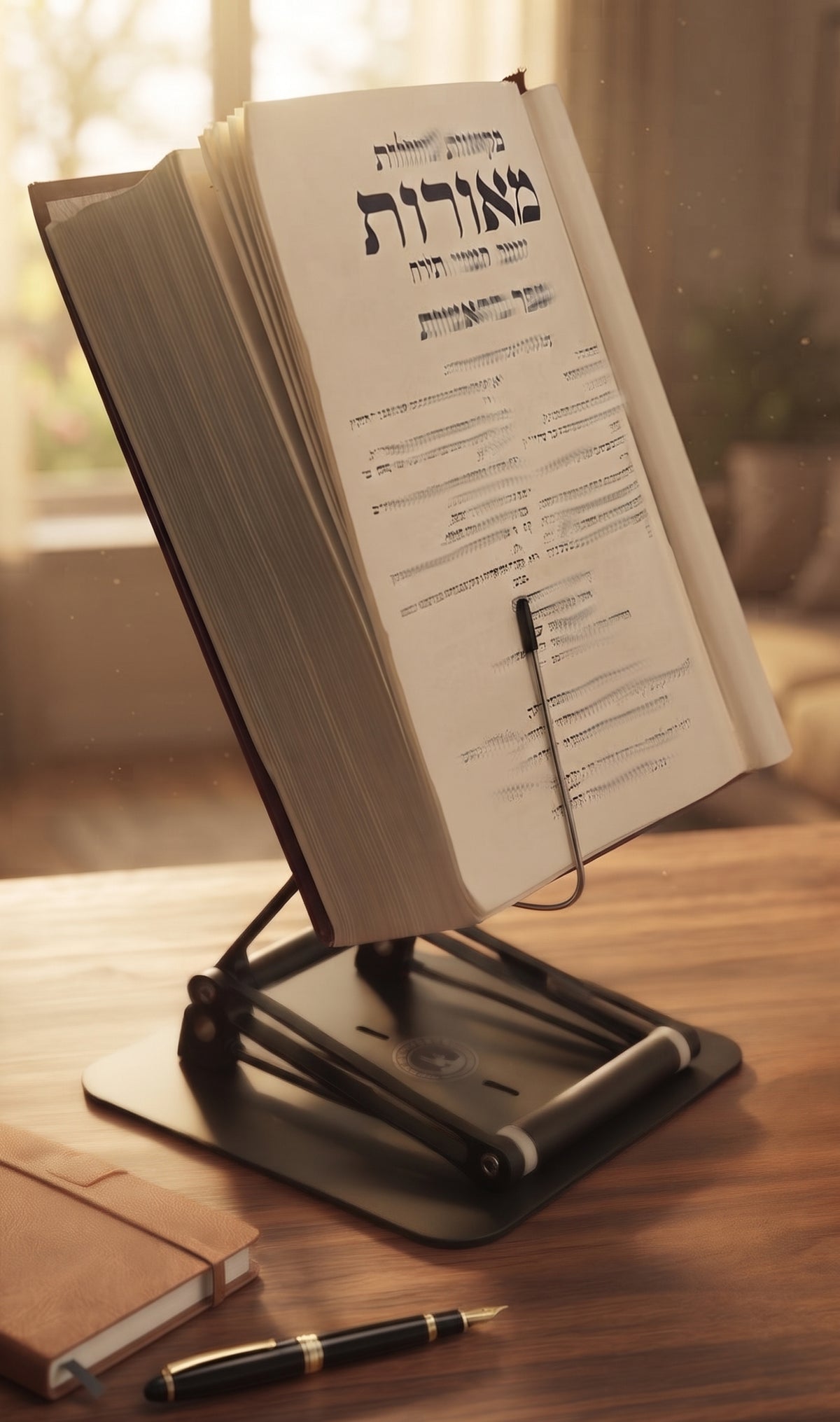
A 900-page textbook has a mind of its own. Set it open on a desk and it closes just as you find the paragraph you need. Force it flat with a coffee mug, and you trade one problem for another: a bent spine, blocked text, and a workspace that looks like it lost an argument.
Adjustable book stands with page clips solve the page problem, but the best ones do much more. They hold a book open without covering the text, bring the material closer to eye level, and create a stable reading position for the long sessions where posture starts to slip. For students, researchers, professionals, cooks, musicians, and serious religious learners, that difference is not a small convenience. It changes how long focused work feels.

The Stander by Dr. Shtaygen
An adjustable stand for heavy textbooks and long reading
Height- and angle-adjustable. 5052 aluminum alloy frame, 1.5 kg (3.3 lb), tested with heavy volumes up to 5 kg (11 lb). $95 + shipping, free 30-day returns.
See The StanderWhy Page Clips Matter More Than They Seem
A book stand without page retention works well only for thin paperbacks and cooperative bindings. Academic texts, reference books, cookbooks, siddurim, and larger sacred volumes tend to resist being held open. Their pages curl, their covers lift, and their weight shifts as you turn from one section to another.
Page clips provide controlled pressure at the lower corners or edges of the open book. The goal is not to pin the pages down aggressively. It is to keep the book stable while leaving the reading area clear and allowing a quick page turn. That distinction matters. Clips that are too stiff can crease delicate pages or make turning pages irritating. Clips that are too light become decorative hardware the moment a heavy hardcover pushes back.
Good clips should hold an open spread securely, accommodate different book thicknesses, and release without a wrestling match. Clear or narrow clips are especially useful because they minimize obstruction. A reader should not have to tilt their head, shift the book, or repeatedly remove a clip just to read a line at the bottom of the page.
For serious study, page clips also protect concentration. Every time a book falls closed, your hands leave the notes, keyboard, or text you are comparing. The interruption is brief, but a hundred brief interruptions can make a study session feel surprisingly fragmented.
Adjustable Book Stands With Page Clips Need Height
Page clips keep the text open. Height adjustment determines whether you can read it without gradually folding your neck toward the desk.
Most basic book holders sit at a fixed low angle. They may elevate a book a few inches, which can be useful for reducing glare or freeing desk space. But a low stand still asks the reader to look downward for long periods. That is often the posture that leaves people rubbing the back of their neck after an afternoon of reading, outlining, or reviewing documents.
An adjustable stand gives you a more useful range. You can position a book higher for seated reading, then raise it further for a moderate standing workflow. The right setting depends on your chair, desk height, the size of the book, and whether you wear progressive lenses. There is no single perfect number for everyone. The practical target is simple: bring the main reading area closer to your natural line of sight, rather than bringing your head down to the page.
This is where a stand needs more than a clever hinge. As elevation increases, stability becomes the central engineering question. A tall platform holding a dense law book or medical textbook must resist wobble, front-heavy tipping, and gradual sagging. A stand that looks impressive empty but shakes when you write notes beside it is not built for serious work.
The Stander by Dr. Shtaygen is designed around that higher standard, raising the supporting lip 17.8 inches above a tabletop. Since the book itself sits above the lip, the reading surface can reach substantially higher. Its 5052 aluminum alloy construction and friction joints are intended for the kinds of heavy texts that expose the weakness of lightweight, casual-use holders.
What to Look for Before You Buy
The right stand depends on what you read, how you work, and how often you need to change positions. Still, several features separate a useful tool from a temporary desk accessory:
- Clip design: Look for page clips that hold pages without hiding key lines, diagrams, footnotes, or musical notation. They should be easy to move for page turns.
- Load capacity and platform size: A stand for a tablet may not be suitable for a thick textbook, binder, or large religious volume. Make sure the ledge and backplate properly support your largest book.
- Height range: If neck comfort is a priority, do not assume that a slight tilt is enough. Choose a stand that can raise reading material meaningfully above the desk.
- Joint quality: Tight, durable joints are essential. They keep the chosen angle and height from drifting under load.
- Base stability: A broad, substantial base matters when the stand is raised or supporting a heavy book. It should feel planted, not precarious.
Materials also deserve attention. Plastic stands can be light and portable, and they may be perfectly adequate for a paperback at the kitchen counter. But for daily academic work or extended study, 5052 aluminum alloy components generally offer more confidence under weight. That added durability often comes with a larger footprint and less grab-and-go convenience. This is a reasonable trade-off if the stand is becoming part of a permanent desk setup.
Set Up the Stand for Reading, Not Just Storage
A book stand earns its place on the desk when it supports an actual workflow. Start by placing it directly in front of you, rather than off to one side. Reading from an angled surface that is rotated left or right can encourage one-sided neck positioning, especially during long sessions.
Set the height after you are seated in your usual chair. Rest your feet on the floor or a footrest, settle your shoulders, and look straight ahead. Then raise the book until the top half of the page sits near your comfortable viewing zone. You will still look down somewhat to read the lower lines, but you should not need to bow your head over the entire book.
Next, adjust the angle. A more upright book surface can bring text closer to eye level and reduce reflections from overhead lights. Yet a nearly vertical angle may make page turns harder or create glare from a window behind you. Small adjustments are worthwhile. The best angle is the one that keeps the text readable while allowing the clips to hold securely.
If you take notes, position the notebook or keyboard below the stand rather than beside it when possible. This keeps your working area centered. A stand can also serve as a visual anchor for split tasks: textbook above, notes below; source document above, laptop below; recipe above, prep area below. The goal is fewer repetitive head movements and less desk clutter competing for attention.
The Best Use Cases Go Beyond Textbooks
Students often find page clips indispensable during problem sets, where one page must remain visible while answers are written elsewhere. Researchers and lawyers can keep a reference volume open while typing. Musicians can use a stable platform for sheet music, provided the clips do not cover notation near the corners.
In the kitchen, a clipped cookbook stays open even when your hands are occupied with flour, oil, or a very persuasive toddler. In a workshop or studio, a manual can remain visible above the work surface rather than collecting debris beside it. For religious study, the raised stand continues the practical purpose of the traditional shtender: giving a serious text a dedicated place, at a height that supports sustained attention.
There is also value in switching between materials. A stand that supports a hardcover book should be able to hold a tablet, laptop, or printed packet when the task changes. That versatility matters in real life, where a study session may begin with a text, move to a video lecture, and end with a document draft.
A Few Habits That Protect Your Books and Your Neck
Do not force a tightly bound new book fully flat on a stand. Use the clips gently and allow the binding to open naturally over time. For fragile or older books, choose clips with smooth contact points and apply only the pressure needed to keep the spread in place.
Change position before discomfort becomes the signal. Even a well-adjusted stand does not make the body motionless by magic. Stand for a portion of a reading block, reset your chair position, or take a short visual break across the room. The stand reduces the need to crane your neck; it does not repeal the need for movement.
Finally, choose a stand based on the heaviest, most demanding item you actually use. A slim paperback is an easy test. The real test is the oversized textbook, the binder full of handouts, or the volume that has defeated every cheap book holder you have owned. When your stand can hold that material open, stable, and near eye level, your desk becomes a place built for thought rather than endurance.
A good reading setup should let the ideas in front of you take up the space, not the discomfort in your neck or the battle with a closing book.
The Stander by Dr. Shtaygen
An adjustable stand for heavy textbooks and long reading
Height- and angle-adjustable. 5052 aluminum alloy frame, 1.5 kg (3.3 lb), tested with heavy volumes up to 5 kg (11 lb). $95 + shipping, free 30-day returns.
See The Stander