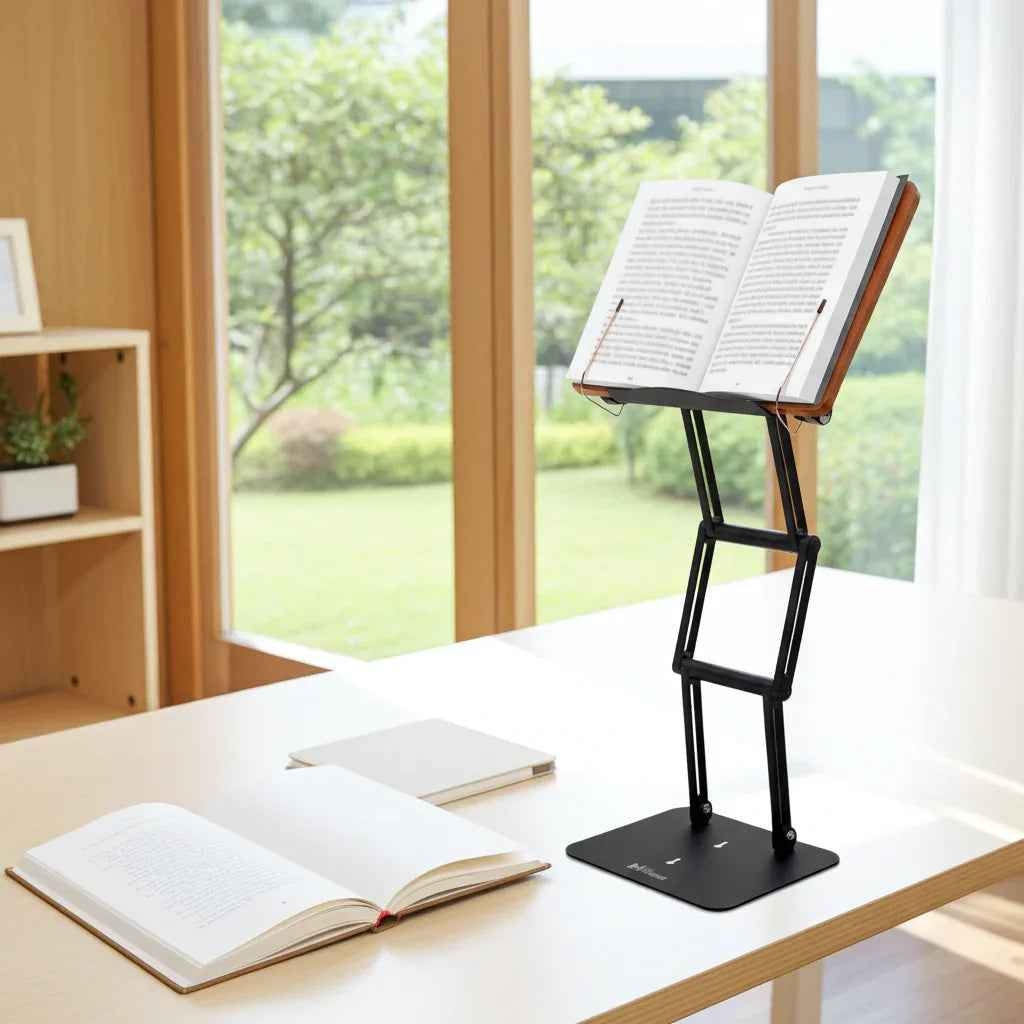
A sore neck at hour two is not a motivation problem. It is usually a setup problem. An ergonomic study setup for students should reduce physical strain before it starts, because posture, screen height, book position, and desk layout directly affect how long you can read, write, and think clearly.
Students often try to solve fatigue with more coffee, better apps, or stricter routines. Those things can help, but they do not fix a textbook lying flat on a desk or a laptop that forces the head forward for three straight hours. When the body is poorly positioned, concentration drops, breaks get more frequent, and study time becomes less productive than it looks on paper.
What an ergonomic study setup for students actually changes
The goal is not to create a perfect desk worthy of a design magazine. The goal is to put your eyes, neck, shoulders, arms, and lower back in positions they can maintain without excessive tension. That changes the quality of studying in a measurable way.
When reading material sits too low, the neck flexes forward. That may seem minor at first, but prolonged cervical flexion adds up quickly during lectures, exam prep, or research-heavy coursework. Students who spend hours moving between printed books, notes, and a laptop often develop the same pattern - chin down, shoulders rounded, upper back collapsing toward the desk.
A sound ergonomic setup improves line of sight, supports a more neutral spine, and reduces the small compensations that become pain over time. It also improves workflow. Reaching less, repositioning less, and squinting less means more sustained focus on the material itself.
Start with viewing height, not the chair
Many students begin with the chair because it feels like the obvious anchor. In practice, the first priority is viewing height. If your book, tablet, or laptop is too low, the rest of your posture will usually collapse around it.
Printed materials are the most overlooked part of student ergonomics. A laptop can be raised with a stand, but textbooks and reading packets are often left flat on the desk for hours. That creates one of the worst positions for extended study because it pulls the head downward and encourages hunching.
A raised platform for reading changes that immediately. Bringing books and screens closer to eye level helps maintain a more neutral neck angle, especially during long reading sessions. For serious students working with dense textbooks, research materials, or large volumes, stability matters. A flimsy stand that wobbles, slips, or fails under weight creates distraction and defeats the point.
This is where a premium adjustable stand earns its place. The right model supports heavy materials securely, adjusts high enough to matter, and stays locked in position. For students who alternate between textbooks, laptops, tablets, and printed notes, one stable platform does more than save desk space - it creates consistency, which is one of the main drivers of better posture.
Desk and chair: get the basics right
Once viewing height is handled, the desk-chair relationship becomes easier to solve. Your shoulders should feel relaxed, not lifted. Your elbows should rest near your sides with the forearms supported by the desk or chair arms when possible. Wrists should stay relatively straight rather than bent upward toward a keyboard.
Feet should rest flat on the floor or on a stable footrest. If they dangle, pressure shifts into the thighs and lower back, which can make long sessions surprisingly tiring. If your chair is too high and cannot be adjusted independently from the desk, use a footrest rather than forcing your body to adapt.
Lumbar support matters, but students often overestimate how much a chair alone can fix. Even a good chair cannot compensate for a book or screen that sits far below eye level. A moderate chair with the right desk and viewing setup usually performs better than an expensive chair in a bad workstation.
The best study posture is the one you can repeat
There is no single perfect posture you hold all day. Serious ergonomic planning is about repeatable positions, not rigid stillness. A good setup supports posture variation without pushing you into strain.
For example, some students do their best close reading when seated upright with a book elevated in front of them. Others prefer alternating between seated work and short standing intervals, especially when reviewing notes or reading for comprehension. Both can work. What matters is whether your setup supports those transitions cleanly.
That is why adjustability matters more than clever features. A stand that rises enough for seated study but also allows moderate standing use gives students more options during long academic blocks. That flexibility is especially valuable during finals, thesis work, language study, and any reading-intensive discipline where fatigue accumulates by the hour.
Organize for less reaching and less friction
A strong ergonomic study setup for students is not just about body angles. It is also about reducing unnecessary movement and interruptions. If your pen, notebook, charger, calculator, and reference materials are spread across the desk, you create constant micro-disruptions.
Keep your primary study zone tight. The item you are actively reading should be centered in front of you. Your writing surface should sit close enough that you are not reaching forward with rounded shoulders. Secondary materials can sit to the side, but they should not force repeated twisting.
If you handwrite notes while reading from a raised text, angle the book slightly and keep the notebook at a comfortable writing distance. If you type while referencing printed material, place both at similar heights when possible. Constantly looking down to one source and up to another increases visual and neck fatigue.
Lighting also deserves more attention than it gets. Poor lighting drives students to lean in. A well-lit reading surface helps keep the head back and the eyes more relaxed. Use focused task lighting if overhead lighting is weak, especially for evening study.
Laptops are convenient, but they are not neutral
Laptops create a built-in ergonomic compromise because the screen and keyboard are attached. If you place the keyboard at a comfortable height, the screen is usually too low. If you raise the screen, the keyboard becomes too high for extended typing. Students who spend hours on a laptop often accept this as normal, then wonder why their neck and shoulders feel overworked.
The best answer depends on the task. For short sessions, a raised laptop position may be enough. For longer writing sessions, separate peripherals often make more sense. An external keyboard and mouse let you lift the screen to eye level without sacrificing arm position.
For mixed-use study, especially when switching between reading and typing, a sturdy adjustable stand becomes even more useful. It allows quicker transitions between modes without rebuilding the entire desk each time. That matters more than it sounds. The easier a setup is to use, the more likely students are to maintain it under real academic pressure.
Why serious students need stable equipment
Not all stands are equal, and students who work with heavy books learn that quickly. Many low-cost options are built for lightweight tablets or casual cookbook use. They may tilt under load, sag over time, or shake with every page turn.
That is not a minor annoyance. Instability breaks concentration and discourages proper use. If the stand cannot hold a thick textbook, legal casebook, or large religious volume at the right height, students will eventually put the material back on the desk and return to the same strained posture.
A professionally built stand with durable joints and real load-bearing stability is a performance tool, not desk decoration. That is part of the value behind serious products like Dr. Shtaygen's Stander 1.1. It is designed for sustained reading and study, not occasional device support, and that distinction matters for students who spend real hours at a desk.
Improve Your Setup
If you're looking to elevate books, tablets, or laptops to a more comfortable reading position, an adjustable stand can make a significant difference.
Build around your actual study habits
The right setup depends on what you do most. A medical student working from dense textbooks has different needs than a law student briefing cases, an engineering student splitting time between a laptop and handwritten problem sets, or a religious scholar studying sacred texts for extended periods.
If reading dominates, prioritize elevation and stability for books. If writing dominates, focus on keyboard, notebook, and arm position. If your workload is mixed, choose adaptable equipment and leave enough open desk space to shift tasks without clutter.
Small dorm desks and shared apartments require trade-offs. In a tight space, multifunctional equipment is often the smartest choice. One stand that supports a textbook, then a tablet, then a laptop is more practical than three separate accessories that fight for the same surface area.
The best ergonomic setup is not the most expensive or the most elaborate. It is the one that removes the physical barriers that keep showing up in your study day. When your materials sit at the right height, your posture improves with less effort. When your desk supports focus instead of strain, longer study sessions feel more controlled. That is the standard worth building toward.