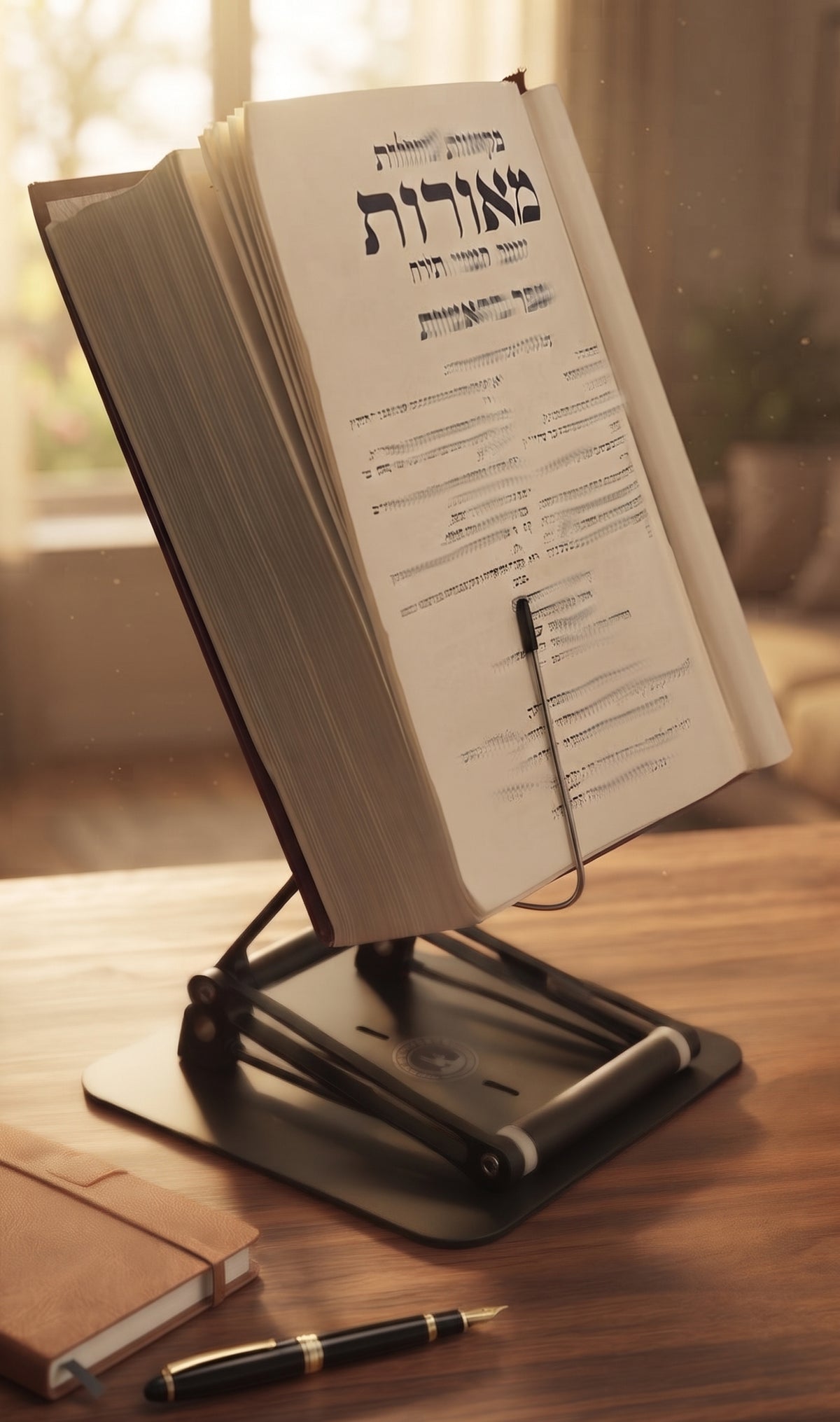
If your neck starts complaining 20 minutes into a reading session, the problem is often not the book. It is the angle. This guide to ergonomic reading angles is for serious readers, students, scholars, and desk workers who want less strain and more usable focus from every session.
Most people think about posture as a back problem. In practice, reading posture is often a head and neck problem first. A human head is heavy, and the farther it drops forward, the more work the cervical spine and surrounding muscles have to do. That is why a thick textbook on a flat desk can feel harmless at first and punishing by the end of the evening.
The fix is not mysterious, but it does require precision. Reading angle, viewing height, and stability all matter. If one is off, the others tend to follow.

The Stander by Dr. Shtaygen
An adjustable stand for heavy textbooks and long reading
Height- and angle-adjustable. 5052 aluminum alloy frame, 1.5 kg (3.3 lb), tested with heavy volumes up to 5 kg (11 lb). $95 + shipping, free 30-day returns.
See The StanderWhy ergonomic reading angles matter
When reading material sits too low or too flat, you naturally flex your neck downward. That forward head position increases load on the neck and upper back. Over time, it can contribute to muscle fatigue, tension headaches, shoulder tightness, and the familiar feeling that your body is paying rent for your intellect.
A better reading angle reduces how far you need to bend your neck. It also helps keep the chest more open and the shoulders less rounded. For people who study for hours, review documents all day, or work through dense religious or academic texts, that change is not cosmetic. It is a performance variable.
There is also a focus benefit. When text is positioned closer to eye level, your reading posture becomes more sustainable. You fidget less, reset less, and spend less mental energy compensating for discomfort. Better ergonomics do not make hard reading easy, but they do remove a surprisingly common form of friction.
The guide to ergonomic reading angles in practice
The ideal reading angle is not one magic number for everyone, but there are reliable ranges. For printed material on a stand, many people do well with the surface tilted roughly 30 to 60 degrees from horizontal. Lighter reading and shorter sessions can be comfortable at lower angles. Longer, more intensive sessions often benefit from steeper angles, especially if the material can also be raised higher.
Height matters just as much as tilt. The top third of the page or screen should generally sit near eye level, or slightly below it. That keeps the gaze modestly downward without forcing the neck into sustained flexion. If the stand tilts well but stays low on the desk, you still end up bowing toward the work. Good ergonomics require both elevation and angle.
Distance matters too. Most readers are comfortable when the material sits about 16 to 28 inches away, depending on vision, font size, and whether they are using glasses. If the text is too far, you lean in. If it is too close, your eyes work harder and your posture often follows.
Books, tablets, and laptops need different angles
A common mistake is assuming one setup fits every format. It does not.
Printed books and textbooks
Printed books usually benefit from a moderate to steep tilt, especially heavy textbooks, legal volumes, or religious texts that stay open for long periods. A flat book on a desk practically invites neck flexion. Raising and angling the book reduces that load and makes page scanning easier.
Heavier books also introduce a practical issue: stability. If the platform wobbles, sags, or drifts under weight, the user compensates with posture. Serious books need a serious stand. This is where flimsy consumer stands tend to reveal their true purpose, which is apparently to hold regret.
Tablets and e-readers
Tablets can usually be placed at steeper angles than books because the screen remains readable without needing the same page geometry. But glare becomes a factor. The best ergonomic angle is not helpful if overhead light turns the screen into a mirror. In those cases, a small angle adjustment can make a major difference.
Because tablets are lighter, users often tolerate weaker stands. The problem is that light devices still need proper height. If the tablet sits six inches too low, the neck still loses.
Laptops
Laptops are a compromise device by design because the screen and keyboard are attached. If you raise the screen to a healthier height, the keyboard may become too high for comfortable typing. If you lower the keyboard, the screen often drops too low for the neck.
For reading, reference work, and video calls, elevating the laptop screen can be a major improvement. For extended typing, the best setup is usually a raised laptop paired with an external keyboard and mouse. It depends on the task. Reading and viewing prioritize screen height. Typing prioritizes arm and wrist position.
How to find your best reading angle
Start with your chair and desk, not the stand. Sit or stand in a neutral posture first. Feet supported, shoulders relaxed, elbows close to the body. Then bring the reading material to you.
Set the material so your eyes land naturally around the upper half of the page or screen. From there, adjust the tilt until you can read without dropping your chin forward. You should feel as if the text meets your line of sight rather than asking you to chase it downward.
Next, test the setup for ten to fifteen minutes. This matters because a position that feels acceptable for one minute can become irritating by minute twelve. Watch for signs of compensation: craning the neck, lifting the chin, hunching the shoulders, leaning on one elbow, or inching the torso forward. Those are clues that angle, height, or distance still need work.
A good setup often feels slightly unusual at first, especially if you are used to reading flat on a desk. That does not mean it is wrong. It means your body has been adapting to a less efficient default.
Common mistakes in a guide to ergonomic reading angles
One mistake is focusing only on tilt. A tilted book that is still too low remains a neck-strain machine. Another is choosing a stand based on portability alone, then asking it to support a heavy textbook, large tablet, or laptop for hours without wobble.
Another common error is setting the material too vertical. People hear eye level and assume the page should be perfectly upright. That can work for some screen tasks, but for reading, a slight downward gaze is usually more comfortable than staring straight ahead. The goal is reduced neck flexion, not rigid military posture.
Lighting gets overlooked too. If poor light makes the text hard to read, you lean in, no matter how ergonomic the angle was five seconds earlier. Task lighting and glare control are part of the setup.
And then there is duration. Even an excellent reading angle does not give your body permission to freeze. Long sessions still benefit from periodic movement, visual breaks, and occasional position changes.
What to look for in a reading stand
If you read seriously, the stand should be able to do more than hold a paperback for a photo. Look for enough height adjustment to bring materials meaningfully closer to eye level, not just slightly less flat than the desk. Look for a wide tilt range, dependable joints, and a base that stays put under real weight.
Material quality matters because precision matters. 5052 aluminum alloy components tend to hold position better over time than cheaper alternatives, especially with repeated adjustment. If you switch between books, tablets, and laptops, versatility matters too. So does the ability to support standing or semi-standing use, not only seated reading.
This is where a well-built adjustable stand earns its keep. The Stander by Dr. Shtaygen, for example, is designed to raise reading and work materials far higher than typical commodity stands, which makes a genuine ergonomic difference for users who need eye-level positioning, heavy-duty support, and stable performance during long sessions.
Improve Your Setup
If you're looking to elevate your law books, tablets, or laptops to a more comfortable reading position, an adjustable stand can make a significant difference.
The best angle depends on the task
Deep study, casual reading, document review, recipe use, and laptop reference work are not the same activity. A scholar working through dense source material for three hours may want a higher, more assertive setup than someone reading a novel for 30 minutes on the couch-adjacent side of a desk.
Standing use changes the equation too. When standing, people often benefit from slightly different height and tilt settings because body mechanics shift. The key is still the same: keep the head balanced over the spine and bring the material into a clear, sustainable viewing zone.
That is the real standard for ergonomic reading angles. Not a perfect number. A position that lets you read, study, or work with less strain, better alignment, and fewer unconscious compromises.
If your current setup keeps asking your neck to do unpaid overtime, do not negotiate with it. Raise the material, improve the angle, and let your body spend more of its effort on thinking instead of holding your head up.
The Stander by Dr. Shtaygen
An adjustable stand for heavy textbooks and long reading
Height- and angle-adjustable. 5052 aluminum alloy frame, 1.5 kg (3.3 lb), tested with heavy volumes up to 5 kg (11 lb). $95 + shipping, free 30-day returns.
See The Stander