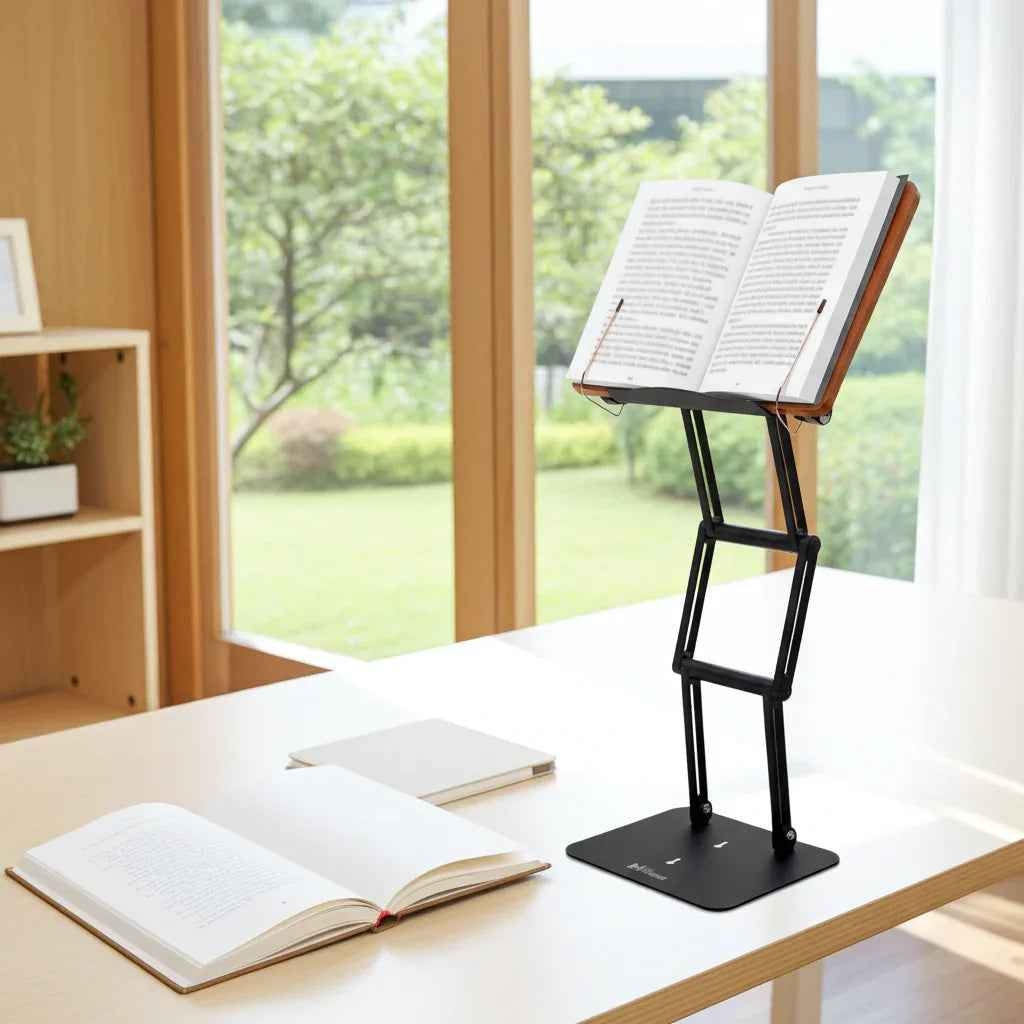
You usually feel bad reading posture before you notice it. It shows up as a stiff neck after twenty pages, a tight band across the shoulders, or the urge to hunch closer to the text because the book is too low, too flat, or too heavy to hold comfortably. If you are trying to learn how to fix reading posture, the real issue is rarely discipline alone. More often, your setup is forcing your body into a losing position.
Reading looks passive, but from a musculoskeletal standpoint, it can be demanding. A book on the desk pulls your head downward. A tablet in your lap rounds the upper back. A thick textbook held in the hands creates tension through the forearms, shoulders, and neck. Over time, that repeated forward angle can increase cervical strain, fatigue the postural muscles, and make focused work feel physically expensive.
Why reading posture breaks down so easily
Most people do not slouch because they are careless. They slouch because the material they are reading sits below eye level. The human body tends to follow the eyes, and when your gaze drops too far, your head drops with it. Once that happens, the upper spine rounds, the shoulders drift forward, and the lower back often collapses soon after.
This is why posture advice that starts and ends with "sit up straight" usually fails. Good reading posture is not a motivational problem. It is an ergonomic problem. If the book, laptop, or tablet stays low, your neck will keep paying the price.
There is also a concentration issue. The longer you study, the less likely you are to maintain a perfect seated position by willpower alone. Serious readers, students, and scholars need a setup that supports the body even after an hour or two, not just in the first five minutes.
How to fix reading posture at the source
The most effective fix is simple: raise the reading material instead of bending your body to meet it. For most people, that means positioning the page or screen closer to eye level and angling it so the neck remains neutral rather than flexed forward.
A neutral neck does not mean military rigidity. It means your ears stay roughly over your shoulders, your chin is not jutting forward, and your eyes can track the page without your head collapsing down. A slight downward gaze is fine. A steep downward tilt for long periods is where trouble starts.
The second correction is distance. If the material is too far away, you lean forward. If it is too close, you may curl inward. For many readers, a comfortable reading distance lands somewhere around forearm length, but it depends on vision, font size, and whether you are working from a large textbook, sheet music, or a compact device. The right position is the one that lets you read clearly without craning.
Build a reading setup your spine can sustain
Start with the chair and desk, but do not stop there. Your feet should rest firmly on the floor or a stable footrest. Your hips should feel supported, and your lower back should not be hanging in space. Keep the shoulders relaxed rather than pinned back aggressively.
Then address the real bottleneck: the reading surface. A flat desk is convenient, but it is a poor reading angle for long sessions. Propping a book up with a pillow or a random object may help briefly, but unstable support tends to create its own problems. The text shifts, heavy books slide, and you end up compensating with tension in the hands and neck.
A stable adjustable stand changes the equation because it brings the material up and toward you. That matters for textbooks, legal volumes, printed articles, tablets, and laptops alike. The goal is not aesthetic neatness. The goal is to reduce sustained neck flexion and let your body stay organized while you work.
For readers who spend serious hours studying, a premium stand is not a luxury item. It is structural support. This is especially true if you switch between formats, use heavy books, or need enough elevation to work seated and occasionally standing. A well-built platform with real height range and stability can do more for posture than a dozen reminders to sit straighter.
Small adjustments that make a big difference
Once the material is elevated, fine-tune the details. Tilt matters. A steeper angle often works well for books and documents because it reduces how far the eyes and neck need to travel down the page. For laptops, the angle depends on whether you are using a separate keyboard. If you type directly on a raised laptop for long periods, your wrists and shoulders may end up in a compromised position. In that case, a separate keyboard and mouse usually create a better overall setup.
Lighting also affects posture more than people realize. Poor light makes you lean in. Glare makes you twist or lower your head to find a clearer view. Better illumination allows a more neutral position. If you read at night, place the light so the page is bright without shining into your eyes.
Vision matters too. If your prescription is outdated, your body will compensate. Many people blame posture when the real problem is that they cannot see the text comfortably at an appropriate distance. If you regularly move your face closer to the page, check whether the issue is ergonomic, visual, or both.
If you read for hours, posture needs variety
Even the best setup is not meant to freeze you in one perfect position all day. Static posture becomes fatiguing, even when it starts from a good place. A better target is supported movement. Shift your seat slightly. Change the angle of the text. Stand for part of a session if your setup allows it. Reset before discomfort becomes strain.
This matters for students during exam periods, researchers working through source material, and religious scholars engaged in extended study. Long reading sessions ask a lot from the neck and upper back. A raised platform rooted in the tradition of the shtender solves an old problem with modern ergonomic logic: bring the text to the reader, not the reader down to the text.
How to fix reading posture without overcorrecting
Some readers swing too far in the other direction and create stiffness by trying to hold themselves unnaturally upright. Good posture should feel supported, not forced. If you are bracing your back, clenching your shoulder blades, or holding your chin tucked hard, you are replacing one form of tension with another.
A practical test is this: can you maintain the position while breathing normally and staying focused on the material? If not, the posture is probably too rigid or the setup still needs work. Ergonomics is not about looking formal. It is about lowering physical cost while preserving concentration.
There are also cases where lower is acceptable. Casual reading in a lounge chair for fifteen minutes does not carry the same demands as three hours with a dense textbook. But if you read daily, work through heavy material, or already feel neck discomfort, the threshold for taking posture seriously is much lower. Frequency changes the stakes.
When posture pain is really a setup problem
If your neck hurts every time you read, pay attention to patterns. Does the pain appear faster with large books? With tablets in your lap? At the kitchen table instead of your desk? These clues matter because they show whether the issue is duration, angle, support, or all three.
Many people try stretches first, and gentle mobility work can help. But stretching around a bad setup is often temporary relief. If the book stays flat on the desk, the mechanical stress returns. Lasting improvement usually comes from changing the environment that keeps producing the same posture.
That is why serious reading tools deserve the same attention as office chairs and desk height. An adjustable stand strong enough for real books and stable enough for sustained use can reduce repeated strain where it starts. Products like The Stander 1.1 are built around that principle: elevate the material, improve alignment, and support longer, more focused work without the wobble and limitations of light-duty stands.
The best reading posture is not the one that looks disciplined from across the room. It is the one that lets you stay with the text longer, think more clearly, and get up without your neck reminding you what your setup got wrong.
Other Related Blogs:
How to Position Textbooks for Long Study Sessions