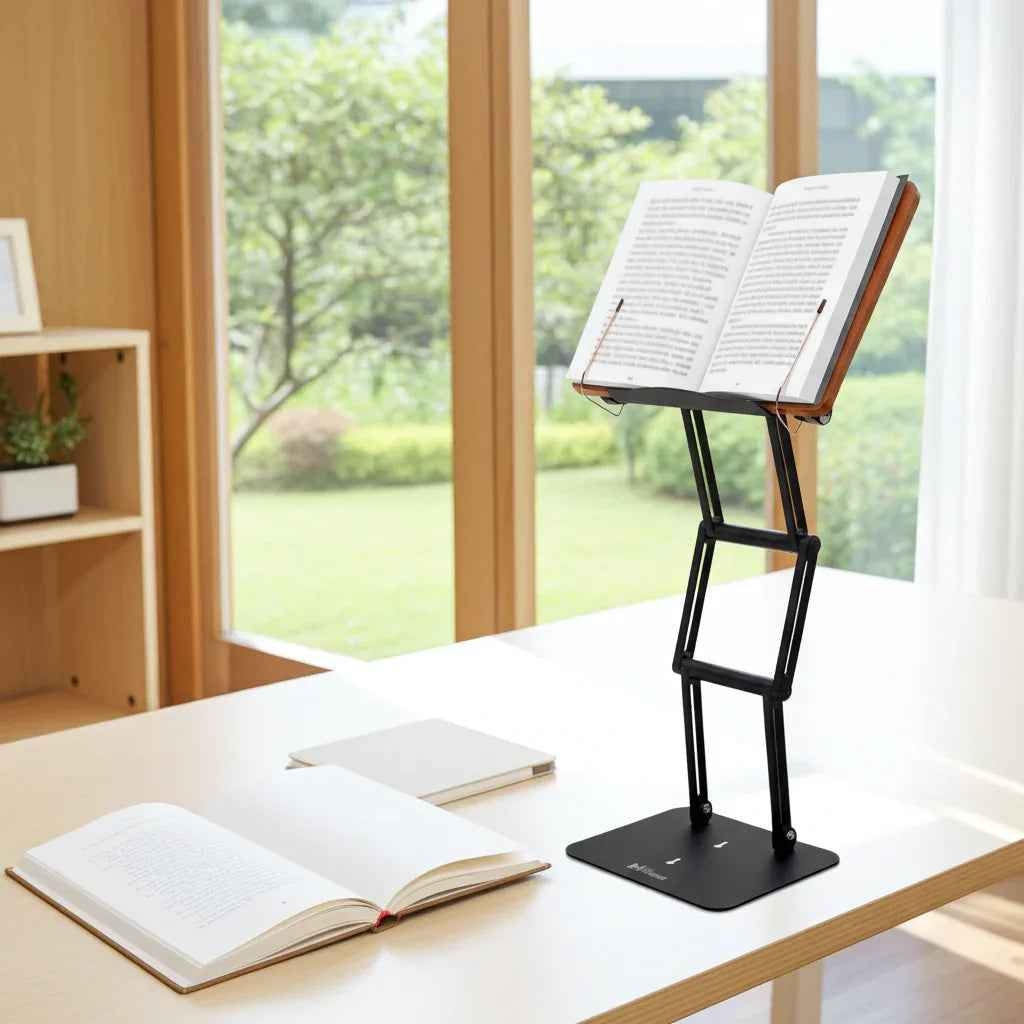
A stack of dense texts, a laptop balanced too low, and three hours of reading ahead - that is where posture problems usually begin. This guide to scholar desk ergonomics is built for serious readers, students, researchers, and religious learners who spend long sessions at a desk and need that setup to support concentration rather than fight it.
Scholarship asks more from the body than most people realize. Extended reading is visually demanding, static, and repetitive. Unlike casual screen use, deep study often keeps the head angled down, the shoulders slightly rounded, and the hands fixed in place for long stretches. That combination can lead to cervical strain, upper back fatigue, wrist discomfort, and the kind of low-grade physical distraction that slowly erodes focus.
The good news is that desk ergonomics for scholars is not complicated. It is mostly about reducing unnecessary flexion, improving visual alignment, and creating a setup stable enough for sustained work.
What scholar desk ergonomics actually means
At its core, scholar desk ergonomics means arranging your reading and writing environment so your body stays in a more neutral position while you work. Neutral does not mean rigid. It means your neck is not constantly dropped forward, your shoulders are not carrying tension for no reason, and your eyes can meet the page or screen without the rest of your spine compensating.
For scholars, this matters more than it does in a typical office setup because the work often involves switching between heavy books, notebooks, loose papers, tablets, and laptops. Standard desk advice tends to focus on keyboard use. A real guide to scholar desk ergonomics has to account for textbooks, folios, reference works, and long-form reading.
There is also a practical distinction between occasional reading and serious study. If you are reviewing a few pages, almost any position feels manageable. If you are reading for two or four hours, small flaws in desk height, screen angle, or book position become cumulative stress.
The biggest ergonomic mistake scholars make
The most common problem is simple - reading flat on the desk.
When a book or screen sits too low, your head follows it downward. That may seem minor, but sustained neck flexion places more demand on the cervical spine and surrounding musculature. People often notice the result as tightness at the base of the neck, burning between the shoulder blades, or a dull headache after studying.
The trade-off is obvious. A flat desk feels familiar and keeps materials easy to spread out. But it is rarely the best position for visual comfort or posture, especially when the material is heavy and you are trying to stay attentive. Raising reading material closer to eye level usually produces the fastest ergonomic improvement because it addresses the posture issue at its source.
Guide to scholar desk ergonomics: the five setup priorities
A better study station starts with hierarchy. Not every adjustment matters equally.
1. Raise the primary reading surface
If most of your time is spent reading, the text should not live flat on the desk. Elevating books, notes, or a laptop helps reduce downward head tilt and encourages a more upright thoracic posture. The ideal height depends on the task. Intensive reading usually benefits from a higher position than handwriting because visual alignment matters more than arm mobility.
For scholars working with substantial texts, stability matters as much as height. A lightweight stand that shakes, slips, or collapses under a heavy volume creates a different problem. The reading surface should remain fixed while pages are turned and while the user shifts posture slightly during long sessions.
2. Keep elbows supported, not pinned
Your shoulders should not be hiking upward to reach the desk, and your elbows should not be forced far behind your torso. When writing or typing, aim for a relaxed bend at the elbow with the forearms supported by the desk or chair arms if they fit properly.
This is one area where it depends on your workflow. If you alternate between reading from an elevated stand and taking handwritten notes, your desk may need enough clear space below the stand for a notebook. If typing is constant, you may need an external keyboard when using a raised laptop. A good ergonomic setup is not only healthy. It is usable.
3. Set the chair for the body, not the desk
Many people adapt themselves to desk height instead of adjusting the chair first. Start with your feet flat on the floor or on a footrest, thighs supported, and pelvis balanced rather than rolled backward. Then assess whether the desk allows comfortable arm position.
If the desk is too high and cannot be changed, the chair may need to come up, which often means adding foot support. If the desk is too low, an elevated reading platform becomes even more valuable because it can improve the visual angle without forcing the whole workstation into compromise.
4. Manage viewing distance
Too close, and your eyes strain while your neck tends to crane forward. Too far, and you lean in to compensate. Most reading material should sit close enough to read clearly without squinting but far enough away that you do not feel pulled toward it. This varies with print size, screen size, and visual correction.
Scholars using fine print, multilingual texts, or heavily annotated pages often benefit from slightly closer placement, but that only works well if the material is also elevated. Close and low is exactly what produces the posture collapse many readers know too well.
5. Build in movement without breaking concentration
Perfect posture held for two hours is still a problem. The goal is not to freeze in an ideal position. It is to reduce strain while allowing frequent variation. Shift between seated and moderate standing work if your setup allows it. Change from reading to note-taking. Reset the shoulders. Look away from the page periodically.
Sustained intellectual work is easier when the body is not asking for relief every twenty minutes.
A better desk setup for books, laptops, and tablets
Scholars rarely use one format all day, which is why generic ergonomic advice often falls short.
For printed books, especially heavy academic or religious volumes, the key requirement is a stand with enough structural integrity to hold weight at useful elevation. A steep angle can improve line of sight, but only if the platform remains stable and page management is practical. For side-by-side reference work, some people prefer one raised primary text and one flat secondary text. That is a reasonable compromise when desk space is limited.
For laptops, elevation helps the neck but creates a keyboard issue. If the laptop screen is raised to eye level, the built-in keyboard usually becomes too high for comfortable typing. In that case, an external keyboard and mouse are the correct fix. If typing is only occasional and reading is the main task, some users accept a partial compromise. Still, the body tends to reward setups that do not force one joint into strain to spare another.
For tablets, the same principle applies. A tablet on a low stand is better than flat on the desk, but a tablet positioned too low for prolonged reading will eventually recreate the same neck problem. The ideal angle is the one that lets the eyes meet the content with minimal head drop and minimal glare.
Why stability changes everything
Serious study demands more than adjustability. It demands mechanical confidence.
A wobbly stand interrupts page turning, encourages compensatory body tension, and subtly undermines focus. Users often brace with their hands, lean in to stabilize the material visually, or stop changing positions because the setup feels unreliable. Premium ergonomics is not only about angles. It is about whether the equipment holds its position under real use.
That is why heavy-duty construction matters for scholars in a way it may not for casual tablet viewing. A stand that can support a law casebook, a medical text, or a large sacred volume without sagging is doing ergonomic work far beyond simple convenience. Products such as Dr. Shtaygen's approach reflect that difference - the goal is not just elevation, but stable elevation for serious materials and sustained attention.
Signs your setup is working
A good ergonomic desk does not feel dramatic. It feels quietly easier.
You should notice less urge to rub the back of your neck, fewer posture resets driven by discomfort, and more ability to stay with the material. Your shoulders should rest lower. Your gaze should meet the page or screen more naturally. At the end of a long session, mental fatigue may still be present, but physical strain should no longer be the main reason you stop.
If discomfort persists, the answer is not always one more accessory. Sometimes the issue is vision correction, prolonged static time, or a mismatch between the task and the setup. Ergonomics is practical, not ideological. The right arrangement is the one that supports your actual work for the actual length of time you perform it.
Scholarship is demanding enough on its own. Your desk should help carry the load, not add to it.
Other Related Blogs:
Best Book Stand for Law School Books
How to Study Longer Without Neck Pain
Want to Work Smarter? The Talmud's 3-Step Secret to Health and Focus