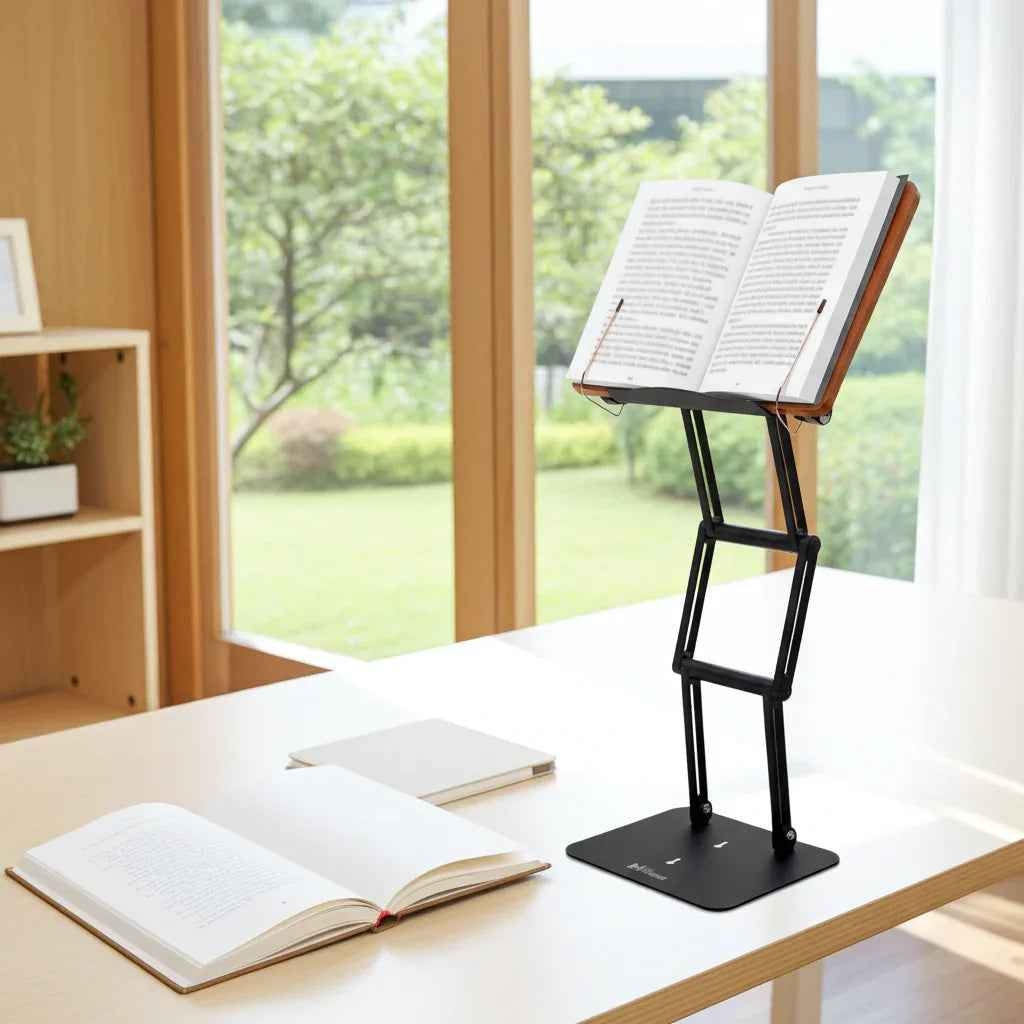
You usually notice hunching after the damage is already done. Your chin has drifted forward, your upper back is rounded, and your neck feels like it has been holding up a bowling ball for hours. If you are searching for how to reduce hunching during desk work, the answer is not to "sit up straight" for five minutes. It is to build a setup that makes better posture the easier default.
Hunching is rarely a discipline problem. More often, it is a geometry problem. When a laptop sits too low, a textbook lies flat on the desk, or your keyboard forces your shoulders forward, your body adapts to the position of the work. That adaptation may help you focus in the short term, but over time it increases strain on the cervical spine, upper traps, and mid-back.
The good news is that the fix is usually practical. Small changes to height, angle, reach, and work rhythm can significantly reduce the tendency to collapse forward.
Why hunching happens during desk work
Most people hunch because the task is below eye level and too far away. Reading from a flat book, working on a low laptop, or looking down at notes all create the same pattern: neck flexion, rounded shoulders, and a slumped thoracic spine. The longer the session, the more that pattern becomes automatic.
There is also a performance trade-off at work. Leaning in can feel productive because it narrows attention. Students do it while annotating dense material. Professionals do it while reviewing spreadsheets. Scholars do it while studying line by line. The body treats precision work as a cue to move closer, even when that closeness comes at a physical cost.
Chair adjustments alone cannot solve that. If the material stays low, your head will keep chasing it downward.
How to reduce hunching during desk work at the source
The first priority is visual height. Your screen or reading material should sit high enough that you can keep your eyes forward rather than constantly angled down. For a monitor, the top portion of the screen should generally be around eye level. For books, tablets, and laptops used for reading, the goal is similar: elevate the material so your neck stays more neutral.
This is where many desk setups fail. People invest in a chair and then leave the actual work surface unchanged. A premium adjustable stand solves a more direct problem by raising books, documents, or a laptop into the visual field. That is why serious readers and desk workers often get more posture relief from elevating the task than from endlessly tweaking the chair.
Angle matters too. Height alone is not enough if the material is vertical in a way that creates glare or awkward wrist positioning. A slight backward tilt for screens and a readable incline for books usually work best. The right angle reduces the urge to crane your neck forward to sharpen focus.
Fix your desk setup in the right order
Start with the object you spend the most time looking at. If that is your laptop, address laptop height first. If it is a textbook, legal pad, or printed document, prioritize that. Build the setup around the primary task, not around a generic ideal.
1. Raise the work, not just the chair
If you raise your chair without raising the material, you may create new problems at the shoulders and wrists. The better strategy is to bring the material upward. For laptop use, that often means placing the device on a stable riser and pairing it with an external keyboard and mouse. For books and documents, it means using a stand that can hold meaningful weight without wobbling.
This matters more than people think. Flimsy stands often collapse under heavy textbooks, thick reference works, or larger devices. When the platform shifts, posture shifts with it. Stability is part of ergonomics.
2. Keep elbows close and shoulders relaxed
Your elbows should rest near your sides, with forearms roughly parallel to the floor. If your keyboard is too high, your shoulders elevate. If it is too far away, you reach and round forward. Both encourage hunching.
A neutral arm position supports a more open chest and reduces tension across the upper back. You do not need a perfect right angle at the elbow every second. You do need to avoid sustained reaching.
3. Support your lower body without locking it in place
Feet should be flat on the floor or on a footrest. Your hips should feel supported, not tucked under. A chair that allows a slight recline can help because it reduces the pressure to hold yourself upright by brute force alone.
That said, posture is not a frozen pose. Even a well-adjusted chair will not protect you if you remain motionless for three hours.
The reading problem most desk workers ignore
If your work involves dense reading, hunching usually starts there. People may set their monitor well, then spend half the day looking down at notes, textbooks, manuscripts, or printed drafts. The reading task becomes the ergonomic weak point.
This is one reason elevated reading platforms have lasted for centuries in scholarly environments. A raised study surface changes the relationship between the eyes, neck, and text. Instead of collapsing toward the page, you can keep the material closer to eye level and maintain a more upright trunk.
For serious study, that platform also has to handle real load. Heavy academic books, large religious texts, binders, and annotated printouts require a stand with substantial lift and dependable joints. A lightweight tablet prop may be fine for casual browsing, but it is not designed for long sessions with demanding material. Products like The Stander 1.1 are built for exactly this kind of work: stable elevation, serious weight support, and enough height to make posture correction practical rather than theoretical.
Movement is part of how to reduce hunching during desk work
Even the best setup will not eliminate fatigue. Muscles tire. Attention narrows. You lean in. That does not mean your setup failed. It means your body needs variation.
A useful rule is to reset before discomfort becomes obvious. Every 30 to 45 minutes, lean back, stand up, or change the task for a minute or two. Look at a distant point. Roll the shoulders gently. Let the rib cage expand with a few deeper breaths. These are not productivity breaks. They are part of staying effective for longer.
Alternating between seated and moderate standing work can help as well, especially for reading or reviewing material. The key word is moderate. Standing all day is not automatically better than sitting. The goal is variety with support, not endurance as a test of character.
Strength and awareness help, but they are not the first fix
People often look for stretches before they fix the workstation. Stretching the chest and strengthening the upper back can absolutely help. If you already have a decent setup, those habits improve your ability to maintain a more neutral position under fatigue.
But exercise should support ergonomics, not replace it. If your laptop sits eight inches too low, no mobility routine will fully offset that. Mechanical problems need mechanical solutions.
Signs your setup is actually improving posture
You should not expect to feel perfect overnight. A better setup often feels different before it feels easy. Still, there are reliable signs that things are moving in the right direction.
Your neck should feel less loaded at the end of the day. You should catch yourself leaning forward less often. Reading sessions should require fewer position changes caused by discomfort. Your shoulders should stay quieter, especially during concentrated work.
If none of that changes, reassess the task height first. In most cases, persistent hunching means the work is still too low or too far away.
When posture advice needs nuance
There is no single perfect posture that you must hold all day. The body tolerates many positions. What it dislikes is prolonged strain in one position, especially when that position repeatedly loads the neck and upper back.
So the goal is not military stiffness. It is a setup that keeps your head more centered over your torso, your shoulders from rolling forward unnecessarily, and your work visible without a constant downward collapse. For some people, that means a monitor arm and keyboard tray. For others, especially readers and students, it means a serious stand that elevates books, tablets, and laptops into a sustainable range.
If you want to reduce hunching for good, stop treating posture like a willpower issue. Treat it like a design problem. When the desk supports the work properly, better alignment becomes far more natural, and long hours of study or focused professional work stop feeling like a fight against your own body.
A well-set desk does more than reduce discomfort. It protects the quality of your attention, which is what serious work depends on.