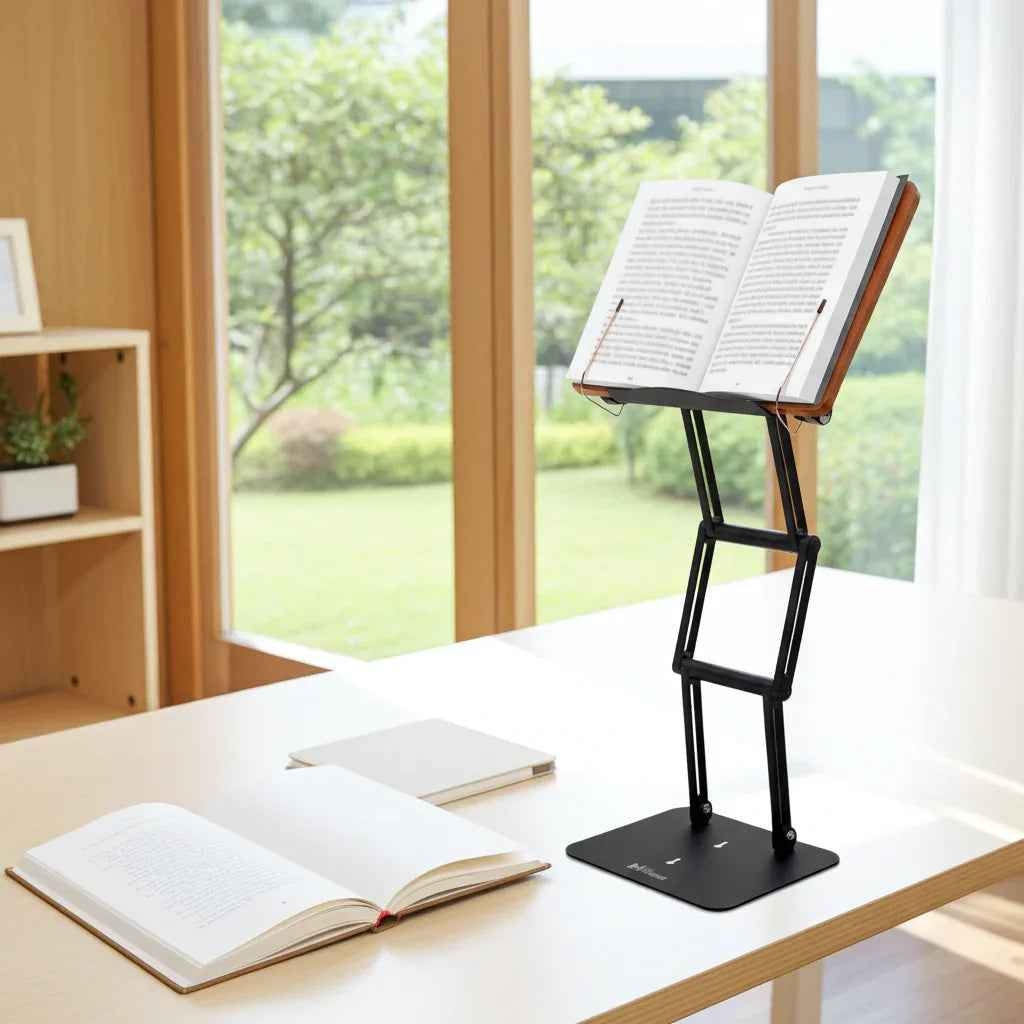
A tablet seems light enough to hold until you are 40 minutes into reading and your neck starts dropping toward the screen. That is where a proper tablet stand for reading at desk use stops being a convenience and starts becoming an ergonomic tool.
If your work involves dense PDFs, research papers, textbooks, legal documents, or long-form notes, the stand matters more than most people realize. Reading on a flat desk pulls your head forward. Reading while holding the tablet in your lap does the same thing, usually with extra shoulder tension added in. A stand changes the angle of the screen, raises it closer to eye level, and makes sustained reading far easier on the cervical spine.
Why a tablet stand for reading at desk use matters
Most desk discomfort is not caused by a single dramatic mistake. It comes from repetition. Looking down hundreds of times per day creates a posture pattern - forward head position, rounded shoulders, and increased strain through the neck and upper back.
A tablet makes this worse because it invites downward viewing. Unlike a desktop monitor, it usually begins life flat on a desk or barely tilted. That may be acceptable for a few minutes of casual use. It is a poor setup for two hours of reading, annotating, cross-referencing, or study.
When the tablet is elevated, your gaze shifts upward and your spine has a better chance of staying stacked. This does not eliminate all discomfort on its own. Chair height, keyboard placement, and your reading habits still matter. But screen elevation is one of the fastest, most noticeable improvements for people who spend real time with text.
For students and scholars, there is another benefit: attention. A stable raised platform creates a reading posture that feels deliberate. It is easier to stay engaged with the material when the device is presented at the right height instead of slumped into the desk surface.
What separates a serious stand from a cheap one
Many stands are designed for casual media consumption, not demanding desk work. They are fine for watching a video while cooking. They are less impressive when asked to hold a large tablet steady during note-taking or all-day reading.
The first difference is stability. If the stand wobbles every time you tap the screen, you will compensate with your hands, shoulders, or posture. That defeats the point. A serious stand needs a solid base, rigid joints, and enough structural integrity to stay planted during normal interaction.
The second difference is height range. A low stand that only lifts the tablet a few inches may improve viewing angle slightly, but often not enough to reduce neck flexion in a meaningful way. For desk reading, greater elevation is usually better, provided the setup still works with the rest of your workstation.
The third is adjustability. Reading is not the same as typing. Annotating is not the same as passive viewing. Some users need a steep angle for text-heavy review. Others need a slightly lower position when moving between the tablet and a notebook. A stand should let you make those changes without feeling flimsy or overcomplicated.
Material quality matters too. Lightweight plastic often fails where serious users need support most - at the joints. Over time, the mechanism loosens, the platform drifts, and the stand becomes one more irritating object on the desk instead of a tool that improves work.
The right height and angle for reading
There is no single perfect measurement because body size, chair height, desk depth, and tablet size all affect the setup. Still, a useful rule is simple: bring the tablet high enough that you can read without dropping your chin toward your chest.
For sustained reading, the top portion of the screen should generally sit closer to eye level than desk level. That does not mean the tablet must be perfectly vertical. In fact, a slight recline often feels better and reduces glare. What matters is that your neck stays relatively neutral and your shoulders remain relaxed.
If you also type on an external keyboard, the stand should separate screen height from hand position. That is one of the biggest ergonomic advantages of a dedicated stand. Your eyes can stay up while your hands remain lower. Trying to do both on a flat tablet usually forces a compromise that is not especially good for either task.
If you switch between reading and handwriting on the tablet, it depends on your priorities. A high, upright posture is best for reading. A lower angle may be better for intensive stylus input. That is why range of motion matters. Good equipment supports multiple workflows instead of locking you into one.
Tablet stand for reading at desk: features worth paying for
Not every premium feature is necessary for every user, but some are worth prioritizing because they directly affect comfort and performance.
A broad, stable platform should be near the top of the list. Larger tablets need support that does not feel precarious, especially if you scroll frequently or use split-screen documents. Anti-slip contact points help, but they are not enough if the frame itself shifts.
Strong joints are equally important. The problem with many low-cost stands is not that they look cheap at first glance. It is that they lose holding power. A quality joint resists sagging under load and keeps the chosen angle instead of slowly collapsing through the day.
Elevation range is what turns a basic holder into a true ergonomic stand. If the stand can raise the tablet to a more appropriate visual height, it becomes useful not just for comfort but for focus. This is one reason serious readers often prefer a heavy-duty adjustable platform over a compact fold-flat accessory.
Multi-use value also matters. Many people do not read from a tablet alone. They alternate between a book, printed notes, a laptop, and reference material. A stand that can support more than one format is often the better long-term choice. That is where premium products stand apart from single-purpose gadget accessories. The Stander 1.1, for example, is built for readers and professionals who need a stable elevated platform for tablets, books, and heavier materials alike.
Who needs more than a basic tablet stand
If your reading is occasional and light, almost any stand may feel acceptable at first. But heavy users usually outgrow light-duty designs quickly.
Graduate students, attorneys, researchers, clergy, and medical professionals often work with dense material for extended periods. Their reading is not casual. It involves concentration, page comparison, note integration, and long seated sessions. In that context, a flimsy stand becomes a bottleneck.
The same applies if you use a larger tablet or read alongside physical texts. A small stand designed for entertainment use often struggles to integrate into a serious desk setup. It may lack height, drift under pressure, or occupy desk space inefficiently.
This is also why the old concept of the shtender still makes sense. Raising reading material is not a trend. It is a time-tested response to the physical demands of sustained study. The modern version simply extends that principle to tablets, textbooks, and mixed digital-analog work.
Common mistakes when choosing a stand
The most common mistake is buying based on portability when the real need is stability. A stand that folds into almost nothing sounds appealing, but if it moves every time you touch the screen, it is not serving the job.
Another mistake is focusing only on viewing angle and ignoring height. Tilt helps, but tilt alone does not fully solve downward gaze. If the stand keeps the tablet low on the desk, your neck may still do most of the work.
A third mistake is treating all desk tasks as identical. Reading, writing, typing, and presenting each place different demands on the setup. The best choice depends on what you do most often. For pure reading, prioritize elevation and visual comfort. For mixed work, choose a stand with enough range to adapt.
Improve Your Setup
If you're looking to elevate your books, tablets, or laptops to a more comfortable reading position, an adjustable stand can make a significant difference.
Building a desk setup that actually supports reading
A good stand works best as part of a system. If the tablet is raised properly, your chair should support upright sitting without forcing you to shrug your shoulders. If you use an external keyboard, keep it low enough that your elbows stay comfortable. If glare is an issue, adjust lighting before blaming the stand angle.
Small changes add up. Raise the screen. Bring the content closer. Sit back instead of collapsing forward. These are not dramatic interventions, but they reduce the cumulative stress that tends to show up as fatigue by midday or pain by evening.
The right stand does more than hold a device. It supports the posture required for serious reading, the focus required for serious work, and the endurance required for long sessions at the desk. Choose accordingly, because when a reading tool is used every day, build quality is not a luxury. It is part of the job.
Other Related Blogs:
Cervical Spine Posture While Reading