A student leans closer to the page, his neck drops forward, his shoulders round, and two hours later his body is doing more work than the brain. That pattern is so common that many students treat it as normal. It should not be.
The most useful student desk posture improvements don't require any dramatic overhauls. They do require small physical changes that reduce strain, preserve attention, and make serious study more sustainable.
Poor desk posture is rarely caused by one bad habit alone. It usually comes from a setup that forces the head down, the arms too high or too low, and the lower back to work without support. The result is familiar - neck tension, upper back fatigue, wrist discomfort, and the slow drop in concentration that follows physical discomfort. Good posture, by contrast, is less about sitting stiffly and more about arranging the workspace so the body can stay neutral for longer.
Student desk posture improvement examples that actually work
The strongest examples all have one thing in common: they reduce the distance between the body’s natural alignment and the work itself. Instead of asking the student to “sit up straight” through willpower, they make upright posture the easier default.
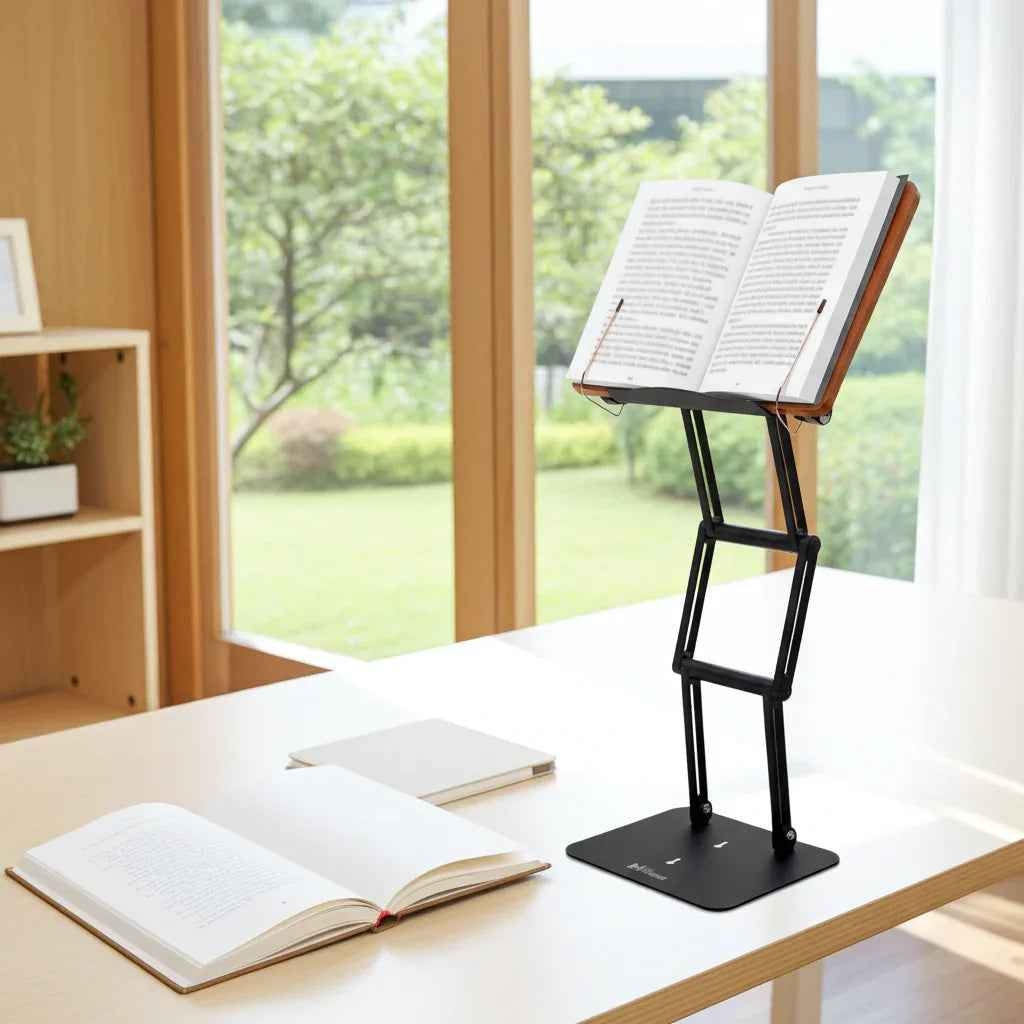
Example 1: Raise your textbook to eye level instead of bending your neck to see your book.
A flat textbook is one of the fastest ways to create forward head posture. When the material sits on the desk, the student has to flex his neck downward for long stretches. That load adds up quickly, especially during dense reading, note review, or problem-solving sessions.
Raising the book changes the geometry of study. The text moves closer to eye level, the neck stays more neutral, and the chest remains more open. This is especially valuable for heavy textbooks and large printed materials that students use for long sessions. A stable elevated stand matters here. Flimsy supports often wobble, slip, or collapse under real academic weight, which defeats the purpose.
Example 2: Bring the laptop screen up and separate the keyboard when possible
Laptops are convenient, but ergonomically, they are a compromise. If the keyboard is at the right height, the screen is too low. If the screen is raised, the built-in keyboard becomes awkward. Students who write papers, attend online classes, and research for hours often absorb that stress through the neck and shoulders.
A better setup raises the screen toward eye level and uses an external keyboard and mouse when the task is long-form work. This single change can reduce the urge to hunch and can also improve breathing and shoulder position. For shorter sessions, even lifting the laptop several inches is usually better than leaving it flat on the desk.
Example 3: Adjust chair height so elbows can rest without shrugging
Many posture problems begin below the shoulders. If the chair is too low, the student reaches upward to the desk surface. If it is too high, the wrists bend and the feet lose contact with the floor. Neither position is stable.
The better example is simple: the elbows rest near the sides, roughly around desk height, with the shoulders relaxed rather than lifted. The forearms can float comfortably for writing or typing, and the wrists stay close to neutral. If the ideal chair height leaves the feet hanging, add a footrest or even a firm box. Support under the feet often improves the whole chain of posture.
Example 4: Use back support, don't collapse into it
Students often swing between two extremes. They either perch forward with no back support at all, or they slump heavily into the chair with the pelvis rolled backward. Neither is effective for sustained focus.
A better posture example uses the chair back as support for the lower spine while keeping the torso active. This is not military-straight sitting. It is supported sitting. The lower back maintains its natural curve, the shoulders stay stacked over the hips, and the head does not have to drift forward to compensate. A small lumbar cushion can help if the chair is flat or unsupportive.
Why these student desk posture improvement examples matter for focus?
Posture is often framed as a pain issue, but for students it is also a performance issue. When the neck is strained and the shoulders are overloaded, attention drops. Fidgeting increases. Reading endurance falls. The body keeps sending distraction signals.
An ergonomically sound desk setup reduces those interruptions. This does not mean perfect posture every minute. It means less friction. A student who can read, annotate, type, and review material without constant repositioning will usually work longer and with better consistency.
Example 5: Keep frequently used materials in the primary reach zone
A cluttered desk quietly encourages awkward posture. Students twist to grab a notebook, reach across the desk for a calculator, or keep their phone off to one side and rotate toward it dozens of times per session. These are minor movements, but repeated asymmetry creates strain.
A stronger setup keeps core study tools close to the center line of the body. The current book, laptop, notebook, and writing tools should be accessible without repeated reaching or trunk rotation. Secondary items can stay off to the side, but high-frequency tools belong in the primary reach zone. This supports efficiency as much as posture.
Example 6: Alternate between seated study and moderate standing work
Some students assume the answer to poor sitting posture is to stop sitting entirely. That is too simplistic. Standing can help, but only if the reading or screen height is set correctly and the session length fits the task. But the reality is that the body wasn't designed for standing all day, just like it wasn't designed for sitting all day.
A more realistic example is alternating. Read one chapter seated with proper support, then review notes or watch a lecture while standing for a shorter block. Moderate standing can reduce static load and refresh attention, but it should not become another posture problem caused by a low desk or unstable platform. For standing study, elevation and stability are critical.
Example 7: Match writing angle to the task
Handwriting on a flat desk often causes students to bend over their notes, especially during math, language work, or annotation-heavy reading. The body follows the page downward.
A slight incline can improve this immediately. Angled writing and reading surfaces reduce neck flexion and often improve visual comfort as well. The ideal angle depends on the task. Dense reading may benefit from a steeper raise, while handwriting usually works better with a moderate incline. That is why adjustability matters more than a one-position stand.
What students get wrong about posture
The biggest mistake is treating posture as a fixed pose. Good posture is not rigid and it is not permanent. Even a well-designed setup should allow movement, micro-adjustments, and changes across tasks. A student writing a timed essay, reading a chemistry textbook, and watching a recorded lecture does not need the exact same configuration for each activity.
Another mistake is focusing only on the chair. The desk surface, the screen height, the reading angle, and the placement of materials are just as important. If the book and screen stay too low, even an excellent chair cannot fully protect the cervical spine from repetitive flexion.
This is where a serious adjustable study platform becomes more than a convenience item. For students who spend real hours with textbooks, laptops, tablets, and printed notes, a stable raised stand can correct the root problem by bringing the work to the body instead of forcing the body down to the work. Products built for heavier books and sustained use tend to perform far better than lightweight stands meant for casual tablet viewing. That difference becomes obvious during finals, long reading blocks, and any setting where stability affects concentration. Dr. Shtaygen approaches this from the right direction: posture first, durability second, and visual clutter reduction as a practical bonus.
A practical way to test your own setup
Sit at your desk as you normally would and work for five minutes. Then check four things. Is your chin dropping toward your chest? Are your shoulders creeping upward? Are you reaching forward to see the screen or page? Are your feet planted firmly?
If two or more of those are off, your setup is likely creating the posture problem. Start with the object you look at most. If it is a textbook, raise the textbook. If it is a laptop, raise the screen. Then adjust chair height and foot support. This order usually produces faster improvement than trying to force a better sitting position in a poorly arranged workspace.
Students do not need a perfect desk. They need a desk that stops fighting them. The best posture improvements are the ones that hold up on an ordinary Tuesday night, when the reading is long, the assignment is due, and the body still feels steady enough to keep going.
Other Related Blogs:
Best Tablet Stand for Reading at Desk