You can spot the problem in about ten seconds. Open a laptop on a flat desk, start reading or typing, and your head begins drifting forward like it has someplace else to be. Shoulders round. Upper back softens into a C-shape. So, can a laptop stand help with slouching? Yes - often significantly - but only if it solves the real mechanical problem instead of just making your desk look more ergonomic.
Why laptops make slouching so common
A laptop is convenient, but ergonomically it asks your body to do something awkward. The screen and keyboard are attached, which means one of them is almost always in the wrong place. If the keyboard is low enough for comfortable typing, the screen is too low for your eyes. If you raise the screen, the keyboard is too high to use directly for long stretches.
That low screen position is what pulls many people into slouching. You do not usually decide to hunch. You adapt to what is in front of you. When your display sits below eye level, your neck flexes forward, your upper spine rounds, and your shoulders often follow. Do that for hours while working, studying, or learning, and the posture starts to feel normal even when it is not serving you well.
This is why so many people feel tension between the shoulder blades, tightness at the base of the neck, and fatigue after computer use. The issue is not laziness or weak willpower. It is setup.
Can a laptop stand help with slouching in real life?
Yes, a good laptop stand can help because it raises the screen closer to eye level. That simple change reduces the need to look down, which often helps you sit more upright with less forward head posture.
But this is the part most people miss: a stand helps slouching best when it is tall enough, stable enough, and used with the rest of the workstation arranged correctly. A tiny riser that lifts your laptop two inches may be better than nothing, but it may not be enough to meaningfully change your spinal position. If you are tall, if you use a standing desk, or if you work with larger books and screens, limited height quickly becomes the weak link.
A proper stand changes the geometry of your workspace. Your eyes stay forward instead of dropping down. Your chest stays more open. Your neck does less compensating. Over time, that can make focused work feel less punishing.
What a laptop stand can and cannot fix
A laptop stand can improve one major driver of slouching: poor screen height. That matters a lot.
It cannot, on its own, fix every posture issue. If your chair is too low, your desk is too high, your lower back has no support, or you spend six straight hours frozen in one position, you can still end up uncomfortable. Ergonomics is not magic. It is a series of better choices that make strain less likely.
There is also a behavioral side. Some people can slouch in a perfectly designed workstation because they collapse into the chair by mid-afternoon. A stand helps create better conditions, but your body still benefits from movement, resets, and a setup you can actually maintain day after day.
That said, screen elevation is one of the highest-impact changes you can make. It addresses the reason many desk workers fold forward in the first place.
The biggest mistake: raising the laptop but typing on it anyway
Here is the classic ergonomic plot twist. Someone buys a stand, puts the laptop up high, feels pleased for eleven minutes, and then spends the next three hours typing with elbows lifted and wrists awkwardly extended.
If you raise the laptop screen, you generally should not use the built-in keyboard for long work sessions. The fix is simple: pair the stand with an external keyboard and mouse. This lets the screen sit where your eyes need it while your hands stay where your arms need them.
That combination is where the posture benefit really shows up. Your display can be elevated without forcing your shoulders and wrists into a bad position. Think of it less as a gadget and more as separating two jobs that a laptop combines poorly.
A better setup for desk work
For most people, the top portion of the screen should land around eye level or slightly below, depending on the task and personal comfort. Your keyboard and mouse should allow your elbows to stay close to your sides with forearms relaxed. Feet should rest flat on the floor or on a footrest. Those are not perfectionist rules. They are practical ways to reduce unnecessary strain.
Why stand height matters more than people think
Not all laptop stands are created equal, and this is where many cheap models fall apart, sometimes literally. A low-profile stand may tilt a device nicely, but if it does not bring the screen high enough, it may not do much for slouching. You are still looking downward, just with better branding.
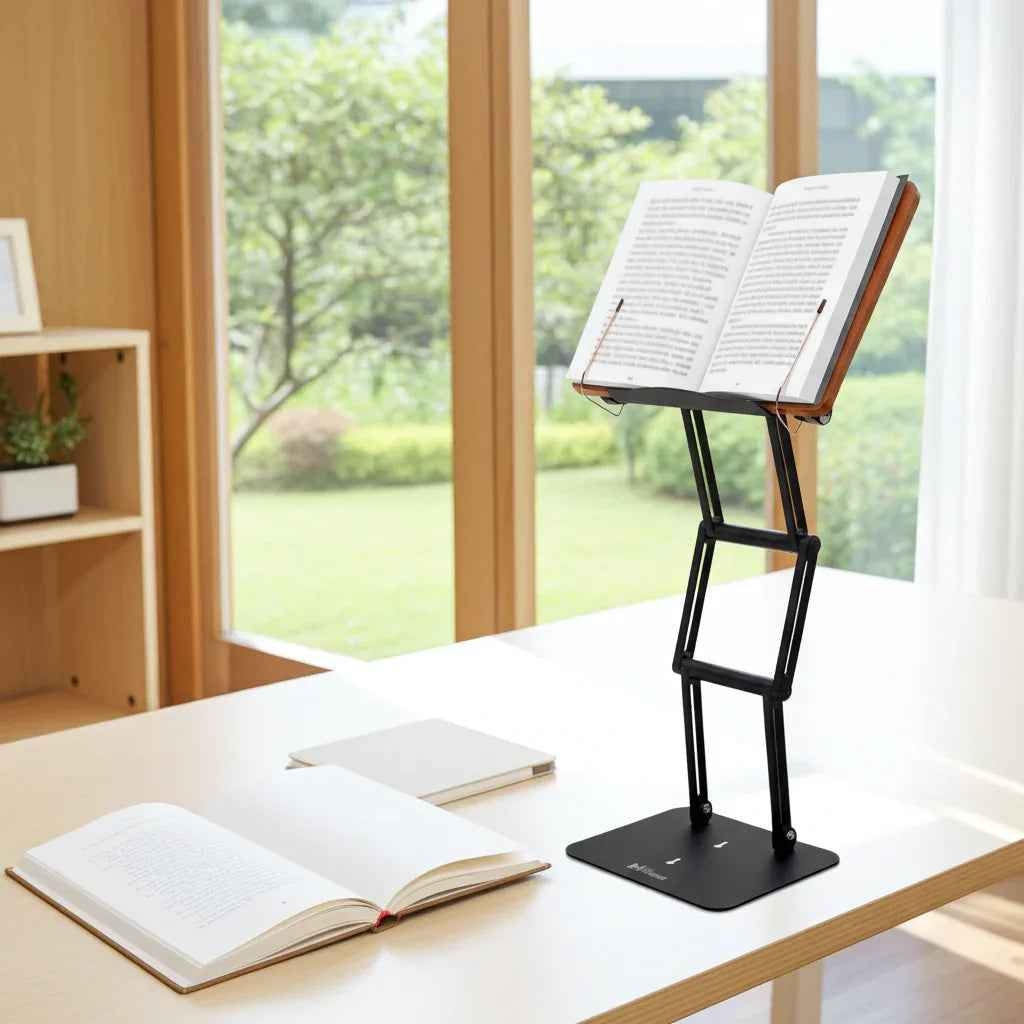
For serious work or study, especially if you switch between sitting and moderate standing, height range matters. A stand that can raise books, tablets, or a laptop substantially above the desk gives you more freedom to place the material where your eyes naturally want it. That is especially useful for readers and scholars working from heavy textbooks, religious texts, legal volumes, or research materials that need to be visible without forcing a neck bend.
Stability matters too. If the platform wobbles while you type nearby, tap the desk, or turn a page, your body subtly compensates. People tolerate more nonsense from flimsy gear than they should. A serious workstation tool should feel planted, not apologetic.
Can a laptop stand help with slouching when you read more than you type?
Absolutely, and in some cases even more than during standard computer work. Reading from a laptop, textbook, or tablet placed flat on a desk can be brutal on the neck because the material stays low for long, uninterrupted stretches. Many students and researchers are not just typing emails. They are studying dense material for hours.
In that setting, an adjustable raised platform does more than improve posture. It supports concentration. When the material sits closer to eye level, you spend less energy fighting your own position. That can mean longer sessions with less fatigue and fewer posture breakdowns as the day goes on.
This is one reason a premium adjustable stand can pull double duty as a laptop riser and as a modern shtender for serious study. The principle is the same whether you are reviewing case law, reading Gemara, editing a manuscript, or following a recipe in the kitchen. Put the material where your body can work with it, not against it.
Who benefits most from a laptop stand?
The biggest payoff usually goes to people who spend long hours looking down at screens or texts. Students, academics, office professionals, remote workers, clergy, and serious readers tend to notice the difference quickly because the strain they feel is repetitive and predictable.
Taller users often benefit more because low desk setups punish them faster. People with a history of neck tension or upper back fatigue may also feel a clear improvement once the screen is elevated properly. If your current habit is craning toward a laptop for most of the day, you are a strong candidate.
If you only use a laptop briefly on the couch or for occasional web browsing, a stand may still help, but the impact may be smaller unless you also change the rest of the setup.
What to look for in a stand if slouching is the problem
If posture is the goal, choose for function before aesthetics. Look for enough height adjustment to bring the screen meaningfully upward, not just slightly tilted. Look for a stable frame that can support real work and heavier materials without wobble. Look for durability, especially in the joints, because adjustability is only useful if the stand holds position under load.
Multi-use versatility is not just a bonus feature either. A stand that can support a laptop, textbook, tablet, or printed reference material makes it easier to keep good posture across your actual day instead of only during one narrow task. That matters more than people expect.
For users who want a serious posture tool rather than a flimsy accessory, products built like equipment rather than desk decor make more sense. The Stander 1.1 was designed around that idea - substantial elevation, heavy-duty stability, and support for both focused desk work and raised study.
The honest answer
So, can a laptop stand help with slouching? Yes, often very effectively. But the best results come when the stand lifts the screen high enough, stays stable under real use, and is paired with an external keyboard and mouse for longer sessions.
If your slouching starts the moment you look down at your laptop, the problem is not mysterious. Your workspace is asking your spine to negotiate with gravity, and gravity is undefeated. Raise the screen, support the task, and your posture usually has a much fairer chance.
Other Related Blogs:
A Practical Guide to Scholar Desk Ergonomics